Next Launcher v.3.10.apk
Download: Next Launcher v.3.10.apk
 Pobierz
11,61 MB
.
Opis
Enabled pay through SMS in some countries/areas (Note: extra permission for SMS is required. Your SMS data is safe.Next Launcher will not use the permission to do anything unrelated!)
Upgrade to get he FIRST & the ONLY android launcher applying Real 3D Visual,Technology into interface design. ( limited time free trial)
Chance to experience the #1 ranked premium launcher in Google Play Store!
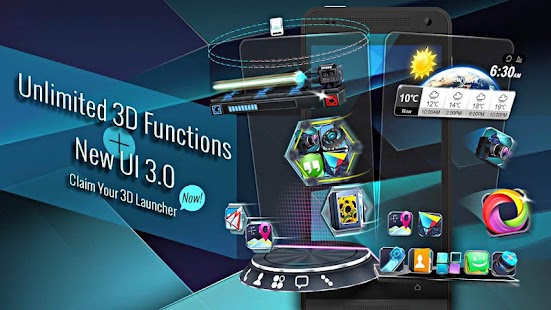
Next Launcher 3D Shell Lite shows you how 3D dynamic effects and highly customizable home screen replacement app could redefine your Android device - Extend imagination, extend capabilities! You may upgrade to Full Version to break down time limits or start a 3D journey with limited trial period for all the premium features of Next Launcher. Join millions of users for ultimate and splendid operation experience and visual enjoyment of this special andriod home screen replacement!
Extend imagination, extend capabilities!
■ Testimonials on Next Launcher 3D Shell
“One of the most heavily customizable, fluid, and striking launchers we’ve ever seen here at Redmond Pie.” - Redmond Pie
“A gorgeous app packed with dynamic effects and 3D elements. The gratifying 3D visual elements, transition effects, and gestures will get you a different and brilliant visual enjoyment and operation experience.” - .Topapps
“The launcher features crazy 3D effects, turning any device you own into a futuristic Tron-centric trip. With additional themes and custom widgets downloadable from Google Play, it’s an extensive and extremely comprehensive option for someone looking to spice up their device.” - Droid-life
■ Basic Features
- Extremely fancy 3D effect with buttery smooth experience
- Efficient and powerful batch apps management with gestures
- Stunning 3D screen preview with dazzling animation of screen switching
- Keep releasing 3D Next widgets, 3D themes and live wallpapers special designed by GO Launcher Dev Team
- Multi-select Apps to fulfill batch operation on Android launcher home
■ Premium Features
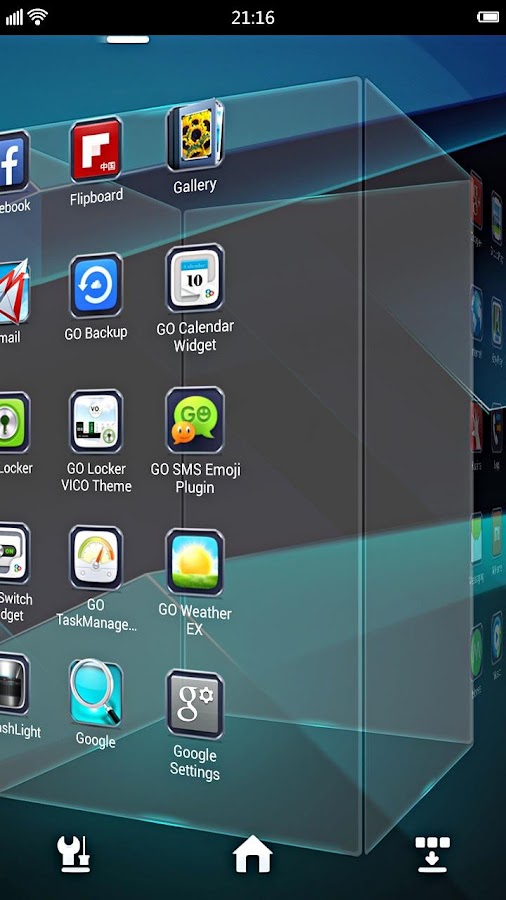
- Real 3D Home Screen Transition Effects (Crystal, Cloth, Folding and more coming soon)
- Build unique icon style by changing its size, angle, style and label (Icon Editor)
- Combine all good parts from different themes into a single theme you really love (Theme Mix Mode)
- See how cool your phone could be by blowing all the icons and the widgets to air space (Floating Mode)
- Up to 8 different gestures available in home screen and app drawer
- Enhanced shining border effects for home screen transition
- Up to 7 rows on dock to shortcut all your favorites
Opis
Enabled pay through SMS in some countries/areas (Note: extra permission for SMS is required. Your SMS data is safe.Next Launcher will not use the permission to do anything unrelated!)
Upgrade to get he FIRST & the ONLY android launcher applying Real 3D Visual,Technology into interface design. ( limited time free trial)
Chance to experience the #1 ranked premium launcher in Google Play Store!
Next Launcher 3D Shell Lite shows you how 3D dynamic effects and highly customizable home screen replacement app could redefine your Android device - Extend imagination, extend capabilities! You may upgrade to Full Version to break down time limits or start a 3D journey with limited trial period for all the premium features of Next Launcher. Join millions of users for ultimate and splendid operation experience and visual enjoyment of this special andriod home screen replacement!
Extend imagination, extend capabilities!
■ Testimonials on Next Launcher 3D Shell
“One of the most heavily customizable, fluid, and striking launchers we’ve ever seen here at Redmond Pie.” - Redmond Pie
“A gorgeous app packed with dynamic effects and 3D elements. The gratifying 3D visual elements, transition effects, and gestures will get you a different and brilliant visual enjoyment and operation experience.” - .Topapps
“The launcher features crazy 3D effects, turning any device you own into a futuristic Tron-centric trip. With additional themes and custom widgets downloadable from Google Play, it’s an extensive and extremely comprehensive option for someone looking to spice up their device.” - Droid-life
■ Basic Features
- Extremely fancy 3D effect with buttery smooth experience
- Efficient and powerful batch apps management with gestures
- Stunning 3D screen preview with dazzling animation of screen switching
- Keep releasing 3D Next widgets, 3D themes and live wallpapers special designed by GO Launcher Dev Team
- Multi-select Apps to fulfill batch operation on Android launcher home
■ Premium Features
- Real 3D Home Screen Transition Effects (Crystal, Cloth, Folding and more coming soon)
- Build unique icon style by changing its size, angle, style and label (Icon Editor)
- Combine all good parts from different themes into a single theme you really love (Theme Mix Mode)
- See how cool your phone could be by blowing all the icons and the widgets to air space (Floating Mode)
- Up to 8 different gestures available in home screen and app drawer
- Enhanced shining border effects for home screen transition
- Up to 7 rows on dock to shortcut all your favorites
Komentarze:
Aby dodawać komentarze musisz się zalogować

Inne foldery z plikami do pobrania
-
# PROGRAMY RÓŻNE # -
___NOWOŚCI DISCO POLO LIPIEC 2017 -
__Czerwiec 2017 -
==Nasze śląskie szlagry== -
⊱✿WIELKANOC 1 - Moje prace⊱✿ -
۞ Polish Dance -
2016 -
Android -
APLIKACJE -
ArtPlus.DigitalPhoto.Recov.4.1 [serial] -
Ashampoo - programy -
Ashampoo Burning Studio 18.0 (PL) Portable -
Bandicut v.1.2.2.65 pl + portable -
Ciekawe Programi i INNE -
Disco Polo Czerwiec 2016 -
Disco Polo Kwiecień 2016 -
Disco Polo Lipiec 2016 -
Disco Polo Luty 2016 -
Disco Polo Maj 2016 -
Disco-Polo 2016 -
Dysko polo 2016 najnowsze -
Excel - makra, vba, funkcje użytkownika -
FOTO 13.01.2020 -
FotoSketcher 1.97 -
Google Nik Collection -
GRY na ANDROIDA -
Hity Dysko Polo 2015 -
Hity w polskiej wersji -
K_U_R_S_Y -
Kurs Excel dla zupełnie początkujących -
Kurs Excel poziom podstawowy -
Kurs Excel VBA -
ŁAMACZ HASEŁ -
Magix Photo Designer 7.0.1.1 -
Magix Photo Designer 7.0.1.1(1) -
My SQL -
Obróbka zdjęć -
Photo Studio PRO -
PhotoPerfect Express 1.0 Build 84 -
PhotoPlus Starter Edition -
PhotoScape -
Picget Magic Photo Editor 5.9 Full -
Programy CIEKAWE -
Programy do zdjęć -
Sety - Disco Polo -
Zachomikowane - 2023r -
Zachomikowane 2021rok -
Zachomikowane Kurs -
Zachomikowane Microsoft -
ZACHOMIKOWANE WIELKANOC

Inne pliki do pobrania z tego chomika



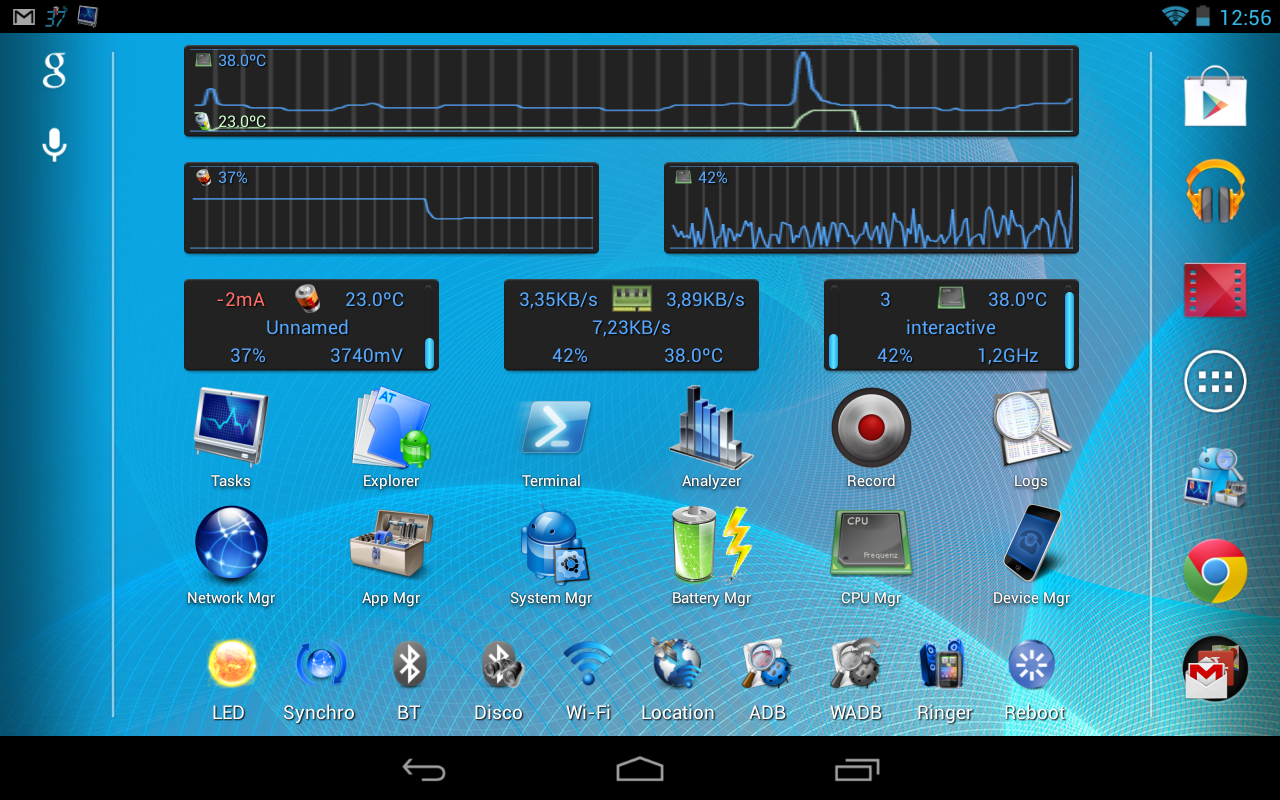 ► Device manager *1
◊ Device profiles (CPU, IO, components)
◊ Tasks scheduler (app management, clean-up, etc)
◊ Device watchers to automatically activate a profile, run tasks or display alarms
◊ Battery savings using profiles and tasks
► File explorer *1
◊ Batch copy/paste, zip, delete, move, share and stream files and folders
◊ Change files/folders permissions and ownership
◊ Access all your Samba network shares
► Application manager *1
◊ Backup app apk/data (multiple versions), sms and call-logs
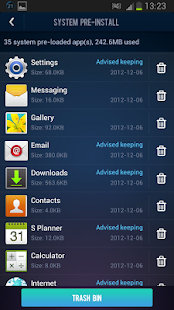
◊ System app uninstaller and update cleaner
◊ Share (email, bluetooth, dropbox, google drive, etc)
◊ Move any apps to user, system, SD or link2SD
◊ Freeze/unfreeze apps, crystallize (eg hibernate/greenify) control app startup and events
◊ Zip align, clear cache, wipe dalvik-cache, fix permissions and optimize databases
◊ Control app permissions, locker (secure access), rotation and force screen-on *2
◊ Notification disabler on JB+
◊ Usage and standby statistics (find app draining your battery)
► Network manager
◊ Set WiFi access point priority
◊ Configure Android firewall *1
◊ TCP Congestion control *1
◊ DNS Changer *1
► Task manager
◊ Check CPU, network and memory usage
◊ Kill (default) or force-stop *1 any apps or kernel processes
◊ Automatic task killer, memory booster, memory cleaner
► System Control *1
◊ CPU governor, frequency, voltage, GPU controls, thermal and MPDecision controls
◊ Build.prop and sysctl editor (basic and advanced mode)
◊ Boost, analyze and benchmark SD cards
◊ Android memory manager, memory cleaner, SD linker (directory binder)
◊ fsync, sweep2wake, gamma and fast charge control
◊ Safe: restore defaults from app or recovery and CPU settings on boot-loop
► System Monitoring
◊ All Android applications or all processes, battery, CPU, network, memory
◊ Component states (WiFi, Bluetooth, GPS, 3G, Phone, APN)
► Status bar notifications
◊ Battery, cpu, memory, sd, temperature optionally with graphics in drop-down
◊ Add battery remaining bar on top or bottom
◊ Remove original battery icon
► Highly Configurable Widgets
◊ Resizable gauge widget
◊ 1x1 and 2x1 (PRO ONLY) text widgets
◊ 2x1-5x2 graphic widgets (PRO ONLY)
◊ 1x1 and 4x1-1x4 (PRO ONLY) toggle widgets *1
◊ 4x4 summary widget (PRO ONLY)
► System Toggles (manual widgets or in profiles)
◊ GPS, WiFi localization
◊ WiFi, BT, BT discoverable, APN, NFC, airplane
◊ Tethering (USB, WiFi, BT)
◊ Brightness, screen time-out, stay awake, flashlight
◊ Ringer, vibrate, synchro, background data
◊ Debug (over WiFi), unknown sources, USB storage, reboot
► Terminal Emulator & Script Editor
◊ Command history
◊ Run or test any scripts, optionally on boot
◊ Share scripts, commands and outputs
► System Logs Reader *1
◊ Logcat reader
◊ Kernel messages (dmsg, kmsg)
◊ Advanced filtering and search
and much more that meets the eye ☺
*1 Requires root and kernel support for full feature
*2 Requires root and Xposed framework
► Device manager *1
◊ Device profiles (CPU, IO, components)
◊ Tasks scheduler (app management, clean-up, etc)
◊ Device watchers to automatically activate a profile, run tasks or display alarms
◊ Battery savings using profiles and tasks
► File explorer *1
◊ Batch copy/paste, zip, delete, move, share and stream files and folders
◊ Change files/folders permissions and ownership
◊ Access all your Samba network shares
► Application manager *1
◊ Backup app apk/data (multiple versions), sms and call-logs
◊ System app uninstaller and update cleaner
◊ Share (email, bluetooth, dropbox, google drive, etc)
◊ Move any apps to user, system, SD or link2SD
◊ Freeze/unfreeze apps, crystallize (eg hibernate/greenify) control app startup and events
◊ Zip align, clear cache, wipe dalvik-cache, fix permissions and optimize databases
◊ Control app permissions, locker (secure access), rotation and force screen-on *2
◊ Notification disabler on JB+
◊ Usage and standby statistics (find app draining your battery)
► Network manager
◊ Set WiFi access point priority
◊ Configure Android firewall *1
◊ TCP Congestion control *1
◊ DNS Changer *1
► Task manager
◊ Check CPU, network and memory usage
◊ Kill (default) or force-stop *1 any apps or kernel processes
◊ Automatic task killer, memory booster, memory cleaner
► System Control *1
◊ CPU governor, frequency, voltage, GPU controls, thermal and MPDecision controls
◊ Build.prop and sysctl editor (basic and advanced mode)
◊ Boost, analyze and benchmark SD cards
◊ Android memory manager, memory cleaner, SD linker (directory binder)
◊ fsync, sweep2wake, gamma and fast charge control
◊ Safe: restore defaults from app or recovery and CPU settings on boot-loop
► System Monitoring
◊ All Android applications or all processes, battery, CPU, network, memory
◊ Component states (WiFi, Bluetooth, GPS, 3G, Phone, APN)
► Status bar notifications
◊ Battery, cpu, memory, sd, temperature optionally with graphics in drop-down
◊ Add battery remaining bar on top or bottom
◊ Remove original battery icon
► Highly Configurable Widgets
◊ Resizable gauge widget
◊ 1x1 and 2x1 (PRO ONLY) text widgets
◊ 2x1-5x2 graphic widgets (PRO ONLY)
◊ 1x1 and 4x1-1x4 (PRO ONLY) toggle widgets *1
◊ 4x4 summary widget (PRO ONLY)
► System Toggles (manual widgets or in profiles)
◊ GPS, WiFi localization
◊ WiFi, BT, BT discoverable, APN, NFC, airplane
◊ Tethering (USB, WiFi, BT)
◊ Brightness, screen time-out, stay awake, flashlight
◊ Ringer, vibrate, synchro, background data
◊ Debug (over WiFi), unknown sources, USB storage, reboot
► Terminal Emulator & Script Editor
◊ Command history
◊ Run or test any scripts, optionally on boot
◊ Share scripts, commands and outputs
► System Logs Reader *1
◊ Logcat reader
◊ Kernel messages (dmsg, kmsg)
◊ Advanced filtering and search
and much more that meets the eye ☺
*1 Requires root and kernel support for full feature
*2 Requires root and Xposed framework