All_In_One_Toolbox_27_Tools_3_9.apk
Download: All_In_One_Toolbox_27_Tools_3_9.apk
 Pobierz
2,29 MB
Opis
Many thanks to Damian Salamon for translating the app as well as below description.
★ Prawie 4 miliony użytkowników, 19 języków
★ Od redakcji AppEggs.com, AndroidApps.com
★ Polecane przez Lifehacker, CNET, AppBrain, XDA & wiele więcej.
★ #1 do przyspieszania systemu i Czyszczenia Cache App w 32 krajach, jest w top 10 w 56 krajach w kategorii Produktywnej.
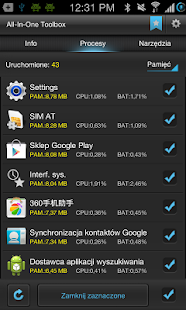
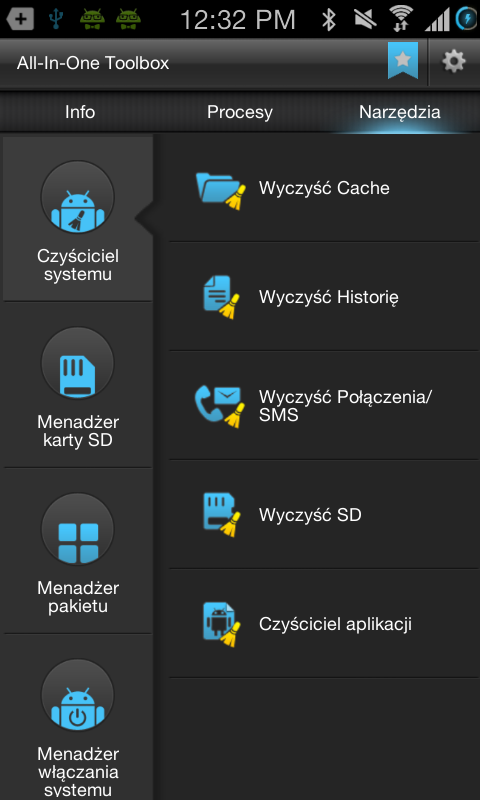
All-In-One Toolbox zapewnia kompleksowe techniki optymalizowania systemu, jednocześnie z aktualnymi informacjami o pamięci, jedno kliknięcie by przyspieszyć telefon przez zamknięcie aplikacji, wyłączanie procesów, usuwanie cache, usuwanie historii, i Menadżer karty SD etc.Obejmuje ona wszystkie czynniki, istotne dla działania urządzenia i pomaga zoptymalizować urządzenie do pracy z optymalną prędkością.
Obsługiwane języki: Angielski, Koreański, Japoński, Tradycyjny Chiński, Uproszczony Chiński, Francuski, Arabski, Hiszpański, Indyjski, Niemiecki, Portugalski, Rumuński, Rosyjski, Hinduski, Polski
【All-In-One Toolbox potrafi】
1. Czyszczenie Aplikacji
2. Tworzenie Kopii zapasowej & Przywracanie
3. Skrót do ekranu głównego
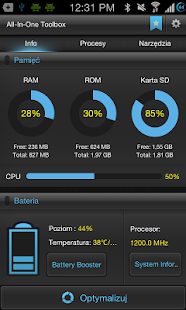
4. Raport statusu pamięci (RAM, ROM, Karta SD i CPU)
5. Informację o systemie
6. Zabójca zadań
7. Usuwanie Cache
8. Usuwanie Historii (schowek, przeglądarka, Market, Wyszukiwanie Gmail, Mapy Google, Historia Google Earth)
9. Usuwanie historii
10. Usuwanie niepotrzebnych plików z karty SD
11. App2SD
12. Menadżer karty SD
13. Instalowanie pakietów
14. Odinstalowanie pakietów
15. Menadżer startu
16. Dodaj App do startu
17. Widżet na ekranie głównym
18. Wtyczka “Szybkie Ustawienia”
19. Wtyczka “Ustawienia Dźwięku”
20. Wtyczka “Czas”
21. Wtyczka “AppLock”
22. Permission Check Plugin
23. Sensor Box Plugin
24. Flashlight Plugin
25. Ad Detect Plugin
26. Compass Plugin
27 QR and Barcode Scanner
28. Uninstall of preinstalled system app feature
29. Zip, unzip and unrar
NAJWAŻNIEJSZE
-ŁATWY W UŻYCIU
*Łatwy i udoskonalony interfejs
*Optymalizacja systemu jest łatwiutka
-WSZYSTKO W JEDNYM
Many thanks to Damian Salamon for translating the app as well as below description.
★ Prawie 4 miliony użytkowników, 19 języków
★ Od redakcji AppEggs.com, AndroidApps.com
★ Polecane przez Lifehacker, CNET, AppBrain, XDA & wiele więcej.
★ #1 do przyspieszania systemu i Czyszczenia Cache App w 32 krajach, jest w top 10 w 56 krajach w kategorii Produktywnej.
All-In-One Toolbox zapewnia kompleksowe techniki optymalizowania systemu, jednocześnie z aktualnymi informacjami o pamięci, jedno kliknięcie by przyspieszyć telefon przez zamknięcie aplikacji, wyłączanie procesów, usuwanie cache, usuwanie historii, i Menadżer karty SD etc.Obejmuje ona wszystkie czynniki, istotne dla działania urządzenia i pomaga zoptymalizować urządzenie do pracy z optymalną prędkością.
Obsługiwane języki: Angielski, Koreański, Japoński, Tradycyjny Chiński, Uproszczony Chiński, Francuski, Arabski, Hiszpański, Indyjski, Niemiecki, Portugalski, Rumuński, Rosyjski, Hinduski, Polski
【All-In-One Toolbox potrafi】
1. Czyszczenie Aplikacji
2. Tworzenie Kopii zapasowej & Przywracanie
3. Skrót do ekranu głównego
4. Raport statusu pamięci (RAM, ROM, Karta SD i CPU)
5. Informację o systemie
6. Zabójca zadań
7. Usuwanie Cache
8. Usuwanie Historii (schowek, przeglądarka, Market, Wyszukiwanie Gmail, Mapy Google, Historia Google Earth)
9. Usuwanie historii
10. Usuwanie niepotrzebnych plików z karty SD
11. App2SD
12. Menadżer karty SD
13. Instalowanie pakietów
14. Odinstalowanie pakietów
15. Menadżer startu
16. Dodaj App do startu
17. Widżet na ekranie głównym
18. Wtyczka “Szybkie Ustawienia”
19. Wtyczka “Ustawienia Dźwięku”
20. Wtyczka “Czas”
21. Wtyczka “AppLock”
22. Permission Check Plugin
23. Sensor Box Plugin
24. Flashlight Plugin
25. Ad Detect Plugin
26. Compass Plugin
27 QR and Barcode Scanner
28. Uninstall of preinstalled system app feature
29. Zip, unzip and unrar
NAJWAŻNIEJSZE
-ŁATWY W UŻYCIU
*Łatwy i udoskonalony interfejs
*Optymalizacja systemu jest łatwiutka
-WSZYSTKO W JEDNYM
Komentarze:
Aby dodawać komentarze musisz się zalogować

Inne foldery z plikami do pobrania
-
# PROGRAMY RÓŻNE # -
___NOWOŚCI DISCO POLO LIPIEC 2017 -
__Czerwiec 2017 -
==Nasze śląskie szlagry== -
⊱✿WIELKANOC 1 - Moje prace⊱✿ -
۞ Polish Dance -
2016 -
Android -
APLIKACJE -
ArtPlus.DigitalPhoto.Recov.4.1 [serial] -
Ashampoo - programy -
Ashampoo Burning Studio 18.0 (PL) Portable -
Bandicut v.1.2.2.65 pl + portable -
Ciekawe Programi i INNE -
Disco Polo Czerwiec 2016 -
Disco Polo Kwiecień 2016 -
Disco Polo Lipiec 2016 -
Disco Polo Luty 2016 -
Disco Polo Maj 2016 -
Disco-Polo 2016 -
Dysko polo 2016 najnowsze -
Excel - makra, vba, funkcje użytkownika -
FOTO 13.01.2020 -
FotoSketcher 1.97 -
Google Nik Collection -
GRY na ANDROIDA -
Hity Dysko Polo 2015 -
Hity w polskiej wersji -
K_U_R_S_Y -
Kurs Excel dla zupełnie początkujących -
Kurs Excel poziom podstawowy -
Kurs Excel VBA -
ŁAMACZ HASEŁ -
Magix Photo Designer 7.0.1.1 -
Magix Photo Designer 7.0.1.1(1) -
My SQL -
Obróbka zdjęć -
Photo Studio PRO -
PhotoPerfect Express 1.0 Build 84 -
PhotoPlus Starter Edition -
PhotoScape -
Picget Magic Photo Editor 5.9 Full -
Programy CIEKAWE -
Programy do zdjęć -
Sety - Disco Polo -
Zachomikowane - 2023r -
Zachomikowane 2021rok -
Zachomikowane Kurs -
Zachomikowane Microsoft -
ZACHOMIKOWANE WIELKANOC

Inne pliki do pobrania z tego chomika






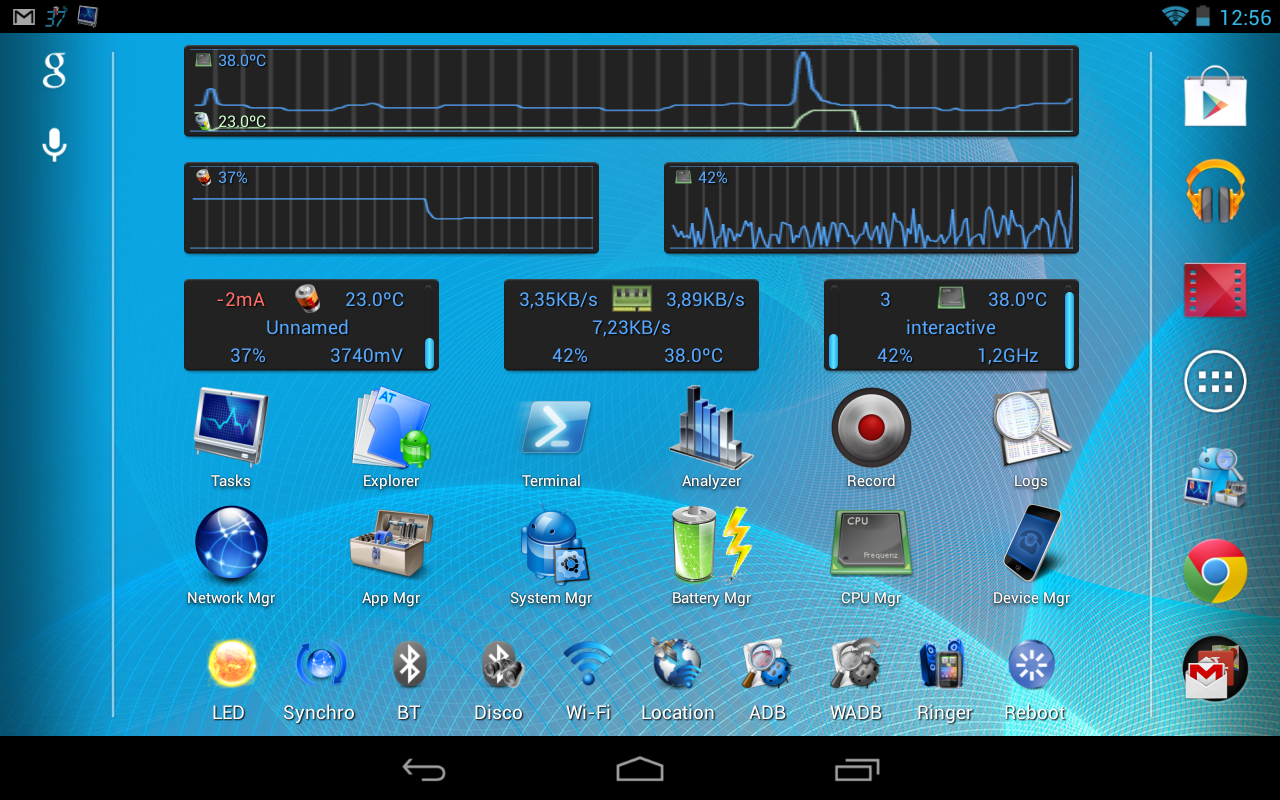 ► Device manager *1
◊ Device profiles (CPU, IO, components)
◊ Tasks scheduler (app management, clean-up, etc)
◊ Device watchers to automatically activate a profile, run tasks or display alarms
◊ Battery savings using profiles and tasks
► File explorer *1
◊ Batch copy/paste, zip, delete, move, share and stream files and folders
◊ Change files/folders permissions and ownership
◊ Access all your Samba network shares
► Application manager *1
◊ Backup app apk/data (multiple versions), sms and call-logs
◊ System app uninstaller and update cleaner
◊ Share (email, bluetooth, dropbox, google drive, etc)
◊ Move any apps to user, system, SD or link2SD
◊ Freeze/unfreeze apps, crystallize (eg hibernate/greenify) control app startup and events
◊ Zip align, clear cache, wipe dalvik-cache, fix permissions and optimize databases
◊ Control app permissions, locker (secure access), rotation and force screen-on *2
◊ Notification disabler on JB+
◊ Usage and standby statistics (find app draining your battery)
► Network manager
◊ Set WiFi access point priority
◊ Configure Android firewall *1
◊ TCP Congestion control *1
◊ DNS Changer *1
► Task manager
◊ Check CPU, network and memory usage
◊ Kill (default) or force-stop *1 any apps or kernel processes
◊ Automatic task killer, memory booster, memory cleaner
► System Control *1
◊ CPU governor, frequency, voltage, GPU controls, thermal and MPDecision controls
◊ Build.prop and sysctl editor (basic and advanced mode)
◊ Boost, analyze and benchmark SD cards
◊ Android memory manager, memory cleaner, SD linker (directory binder)
◊ fsync, sweep2wake, gamma and fast charge control
◊ Safe: restore defaults from app or recovery and CPU settings on boot-loop
► System Monitoring
◊ All Android applications or all processes, battery, CPU, network, memory
◊ Component states (WiFi, Bluetooth, GPS, 3G, Phone, APN)
► Status bar notifications
◊ Battery, cpu, memory, sd, temperature optionally with graphics in drop-down
◊ Add battery remaining bar on top or bottom
◊ Remove original battery icon
► Highly Configurable Widgets
◊ Resizable gauge widget
◊ 1x1 and 2x1 (PRO ONLY) text widgets
◊ 2x1-5x2 graphic widgets (PRO ONLY)
◊ 1x1 and 4x1-1x4 (PRO ONLY) toggle widgets *1
◊ 4x4 summary widget (PRO ONLY)
► System Toggles (manual widgets or in profiles)
◊ GPS, WiFi localization
◊ WiFi, BT, BT discoverable, APN, NFC, airplane
◊ Tethering (USB, WiFi, BT)
◊ Brightness, screen time-out, stay awake, flashlight
◊ Ringer, vibrate, synchro, background data
◊ Debug (over WiFi), unknown sources, USB storage, reboot
► Terminal Emulator & Script Editor
◊ Command history
◊ Run or test any scripts, optionally on boot
◊ Share scripts, commands and outputs
► System Logs Reader *1
◊ Logcat reader
◊ Kernel messages (dmsg, kmsg)
◊ Advanced filtering and search
and much more that meets the eye ☺
*1 Requires root and kernel support for full feature
*2 Requires root and Xposed framework
► Device manager *1
◊ Device profiles (CPU, IO, components)
◊ Tasks scheduler (app management, clean-up, etc)
◊ Device watchers to automatically activate a profile, run tasks or display alarms
◊ Battery savings using profiles and tasks
► File explorer *1
◊ Batch copy/paste, zip, delete, move, share and stream files and folders
◊ Change files/folders permissions and ownership
◊ Access all your Samba network shares
► Application manager *1
◊ Backup app apk/data (multiple versions), sms and call-logs
◊ System app uninstaller and update cleaner
◊ Share (email, bluetooth, dropbox, google drive, etc)
◊ Move any apps to user, system, SD or link2SD
◊ Freeze/unfreeze apps, crystallize (eg hibernate/greenify) control app startup and events
◊ Zip align, clear cache, wipe dalvik-cache, fix permissions and optimize databases
◊ Control app permissions, locker (secure access), rotation and force screen-on *2
◊ Notification disabler on JB+
◊ Usage and standby statistics (find app draining your battery)
► Network manager
◊ Set WiFi access point priority
◊ Configure Android firewall *1
◊ TCP Congestion control *1
◊ DNS Changer *1
► Task manager
◊ Check CPU, network and memory usage
◊ Kill (default) or force-stop *1 any apps or kernel processes
◊ Automatic task killer, memory booster, memory cleaner
► System Control *1
◊ CPU governor, frequency, voltage, GPU controls, thermal and MPDecision controls
◊ Build.prop and sysctl editor (basic and advanced mode)
◊ Boost, analyze and benchmark SD cards
◊ Android memory manager, memory cleaner, SD linker (directory binder)
◊ fsync, sweep2wake, gamma and fast charge control
◊ Safe: restore defaults from app or recovery and CPU settings on boot-loop
► System Monitoring
◊ All Android applications or all processes, battery, CPU, network, memory
◊ Component states (WiFi, Bluetooth, GPS, 3G, Phone, APN)
► Status bar notifications
◊ Battery, cpu, memory, sd, temperature optionally with graphics in drop-down
◊ Add battery remaining bar on top or bottom
◊ Remove original battery icon
► Highly Configurable Widgets
◊ Resizable gauge widget
◊ 1x1 and 2x1 (PRO ONLY) text widgets
◊ 2x1-5x2 graphic widgets (PRO ONLY)
◊ 1x1 and 4x1-1x4 (PRO ONLY) toggle widgets *1
◊ 4x4 summary widget (PRO ONLY)
► System Toggles (manual widgets or in profiles)
◊ GPS, WiFi localization
◊ WiFi, BT, BT discoverable, APN, NFC, airplane
◊ Tethering (USB, WiFi, BT)
◊ Brightness, screen time-out, stay awake, flashlight
◊ Ringer, vibrate, synchro, background data
◊ Debug (over WiFi), unknown sources, USB storage, reboot
► Terminal Emulator & Script Editor
◊ Command history
◊ Run or test any scripts, optionally on boot
◊ Share scripts, commands and outputs
► System Logs Reader *1
◊ Logcat reader
◊ Kernel messages (dmsg, kmsg)
◊ Advanced filtering and search
and much more that meets the eye ☺
*1 Requires root and kernel support for full feature
*2 Requires root and Xposed framework