


F-Sim Space Shuttle 2.2.063 [ICS].apk
 Pobierz
Inne foldery z plikami do pobrania
-
1996 A New Stereophonic Sound Spectacular -
Angry Birds Star Wars II 1.0.2 -
Asphalt 7 - Heat 1.1.1 -
Asphalt 8 - Airborne 1.0.0 -
Asus Google Nexus 7 II LTE (2013) -
Cell Modems -
Clouds & Sheep Premium 1.9.5 -
EDIMAX EW-7811Un 150Mbps BGN Nano USB Adapter -
Extreme Landings Pro 1.22 -
firmware -
Galaxy On Fire 2 HD 2.0.1 -
GusGus - Arabian Horse [FLAC] -
Hardware -
Helicopter Sim Pro 1.0 -
Hooverphonic -
J. Hiszpański -
J.Angielski -
JiaYu JY-G2FW (WCDMA) -
Klatka Skandalu - 1994 -
Łzy - Zbieg okoliczności 2014 -
Metal Wars 3 1.0 -
MF821 (LTE) -
MoboRobo 2.1.5.855 -
ModeCom MC-UN22 Wireless USB 2.0 Adapter -
Modern Combat 4 - Zero Hour 1.1.0 -
Ocean HD 1.6.1 -
Option -
OsmAnd+ Maps & Navigation 1.9.5 -
Popcorn Hour WN-100 Wireless USB Adapter -
Profesor Henry 6.0 MEGAPAKIET -
Profesor Henry 6.0 Slownictwo Poziom 1 i 2 -
Profesor Henry 6.0 Slownictwo Poziom 3 i 4 -
Profesor Henry Business English -
root -
Samsung Galaxy A5 [SM-A500FU] -
Samsung Galaxy Ace 2 [GT-I8160] -
service -
SGS I [GT-I9000] -
SGS II Plus NFC [GT-I9105P] -
SGS IV LTE [GT-I9505] -
SGS V [SM-G900F] -
SGS VII [SM-G930F] -
Star N9500 -
Star Z2 (Alps X3T) -
Stargate SG-1 - Unleashed Ep1 1.0.6 -
W poprzek - 1996 -
WiFi USB Disk - Smart Disk Pro 1.62 -
X-Plane 9.75.3 -
Zopo ZP980+ -
ZTE
F-Sim Space Shuttle 2.2.074
AKTUALNA WERSJA: Zależy od urządzenia
ZAKTUALIZOWANO: 30.03.2013
WYMAGA ANDROIDA: 2.3 lub nowszy
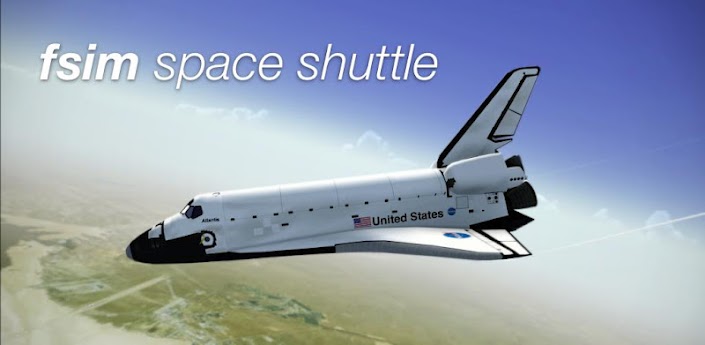
With F-Sim Space Shuttle, a number one flight simulator for iOS finally arrives on Android. It simulates the space shuttle’s approach and landing in unprecedented detail and accuracy. Take command of the Orbiter during the final minutes of descent, and touchdown safely at the John F. Kennedy Space Center or Edwards Air Force Base.
After the landing, you can watch a replay of your flight from different perspectives, like a chase plane or from the tower. A sophisticated landing analysis also is available, and only the best pilots are awarded a “perfect landing” score.
• Testimonials
“Absolutely awesome app that is a must for Shuttle huggers and aspiring astronauts.”
—Chris Bergin, Managing Editor NasaSpaceflight.com
“I was excited to see that I can enjoy flying the space shuttle realistically also on my iPhone and complement my addiction to our Space Shuttle Mission Simulator on PC when I am on the road.”
—Alex L., www.space-shuttle-mission.com
“F-Sim Space Shuttle's stunning visuals, convincing flight dynamics, and realistic HUD make it one of the finest simulators I've ever seen. A must have!” —Florian Wardell, Editor TechHaze.com
• Have you got the "right stuff?"
The Orbiter’s approach is seven times steeper and twice as fast compared to a commercial airliner’s approach. Also, because during descent it is an unpowered glider, you only have one chance to get it right.
The included manual and tutorials will familiarize you with the head up display (HUD) and explain the different approach and landing phases. After some practice and your first successful touchdown, you can try crosswind or night landings.
• Striking realism
Flight dynamics, the guidance, navigation, and control (GNC) systems, and the HUD are simulated accurately and in great detail.
Follow the guidance symbol in the HUD to stay on the heading alignment cone (HAC) and align the orbiter with the runway centerline, and then follow the flare reference symbol to perform the preflare maneuver. Don’t forget to keep an eye on the visual landing aids like the precision approach path indicators (PAPI) and the ball/bar light system to stay on the outer and inner glideslopes, respectively.
Let the autopilot control rudder, speed brake, gear, and chute, or control them yourself. If you dare, simulate system failures like a stuck speed brake or HUD/guidance malfunctions.
• A wide range of options
Take your place in the commander’s seat in the stunning virtual cockpit, or view your flight from different external camera perspectives. Choose between accelerometer (tilt) controls or (virtual) analog sticks to steer the Orbiter. Land on both shuttle landing facilities, and fly either final or full approaches by selecting one of the four possible HACs.
Configure day or night landings, clear or overcast skies, visibility, wind, and many other parameters.
• Achievements and leaderboards
It will take some practice, but your first safe, good, and perfect landings are rewarded with OpenFeint achievements. A total of 15 medals and badges are waiting for the top astronauts, and you can unlock two secret, hidden achievements.
Once you’ve become an expert space shuttle commander, compare your scores on the online leaderboards with the best pilots in the world.
• A number one title
F-Sim Space Shuttle has received rave reviews from flight simulation enthusiasts across the world and is ranked among the best simulations on the iOS App Store.
This Android version is based on version 2.0 of the iOS app, with some features added from versions 2.2 and 2.4. We will add more features in future updates.
What's in this version:
A lot of improvements, including:
• Chute
• Wingtip vortices
• New camera perspectives
• Switch between camara perspectives in replay
• Display score at end of flight
Demo video: F-Sim Space Shuttle demo
Więcej szczegółów tutaj: F-Sim Space Shuttle
Inne pliki do pobrania z tego chomika


