Wykorzystujemy pliki cookies i podobne technologie w celu usprawnienia korzystania z serwisu Chomikuj.pl oraz wyświetlenia reklam dopasowanych do Twoich potrzeb.

Jeśli nie zmienisz ustawień dotyczących cookies w Twojej przeglądarce, wyrażasz zgodę na ich umieszczanie na Twoim komputerze przez administratora serwisu Chomikuj.pl – Kelo Corporation.

W każdej chwili możesz zmienić swoje ustawienia dotyczące cookies w swojej przeglądarce internetowej. Dowiedz się więcej w naszej Polityce Prywatności - http://chomikuj.pl/PolitykaPrywatnosci.aspx.

Jednocześnie informujemy że zmiana ustawień przeglądarki może spowodować ograniczenie korzystania ze strony Chomikuj.pl.

W przypadku braku twojej zgody na akceptację cookies niestety prosimy o opuszczenie serwisu chomikuj.pl.

Wykorzystanie plików cookies przez Zaufanych Partnerów (dostosowanie reklam do Twoich potrzeb, analiza skuteczności działań marketingowych).

Wyrażam sprzeciw na cookies Zaufanych Partnerów
NIE TAK

Wyrażenie sprzeciwu spowoduje, że wyświetlana Ci reklama nie będzie dopasowana do Twoich preferencji, a będzie to reklama wyświetlona przypadkowo.

Istnieje możliwość zmiany ustawień przeglądarki internetowej w sposób uniemożliwiający przechowywanie plików cookies na urządzeniu końcowym. Można również usunąć pliki cookies, dokonując odpowiednich zmian w ustawieniach przeglądarki internetowej.

Pełną informację na ten temat znajdziesz pod adresem http://chomikuj.pl/PolitykaPrywatnosci.aspx.

Nie masz jeszcze własnego chomika? Załóż konto
MegaFile
  • Prezent Prezent
  • Ulubiony
    Ulubiony
  • Wiadomość Wiadomość

widziany: 15.12.2025 20:43

  • pliki muzyczne
    245979
  • pliki wideo
    2237580
  • obrazy
    154891
  • dokumenty
    56532

3130076 plików
2876361,44 GB

« poprzednia stronanastępna strona »
  • 112,2 MB
  • 11 lip 12 19:19
obrazek
Installation
Download zip file and copy to SD Card
Reboot to xRecovery or CWM Recovery
Wipe Data/Reset /Wipe Cache Partition /Wipe Dalvik/Battery Stats
Install Custom Zip / Flash ROM
REBOOT. Done

New ROM ported from CM7.2 Galaxy Ace GT-S5830 and work with nAa-11 and Alfs 08a-CM7 Djnilse kernel.

DSe Mod4 Features
CM7.2 RC1 Galaxy Ace GT-S5830
SEM3 Feature
Improved scrolling performance
nAa 11 / alfs v08a CM7
SMS popup
Center Clock
Bubble Transition
ICS Frame
Add Adreno libs
Stars Lock Screen
New Shin Wallpaper
Dark Shin Bravia
New ICS style settings

z chomika gangmar

  • 73,6 MB
  • 11 lip 12 19:19
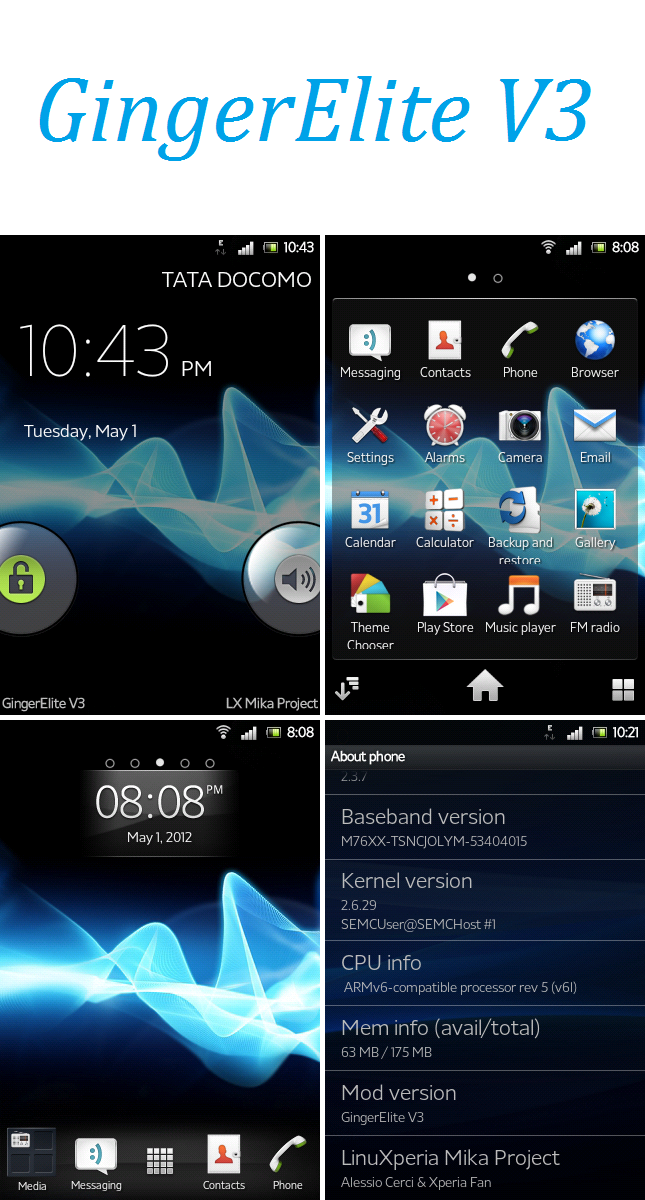
obrazekobrazekobrazekobrazekobrazekobrazekobrazek

Requirements :

1. An X8 (LOL)
2. Unlocked Bootloader
3. nAa 11 kernel or alfs v08a for CM7
4. Baseband xxxxx015
5. Basic knowledge in how to save yourself from any problems that may occur

Instructions :

1. Download the ROM
2. Place in in your SD Card
3. Flash nAa 11 or alfs V08a CM7
4. Reboot into CWM, full wipe, wipe cache, wipe dalvik cache and wipe battery stats
5. Flash the ROM
6. Reboot and enjoy

#CHANGELOG#

V02-25/5/2012-Major Update

-Bug fixes from GingerZaraki V04
-Improved overall performance(2D/3D/Scrolling)
-Improved Stability
-Added Battery Saving Mod by PureMotive
-Fixed Wifi for Alfs V08a Cm7 by djnilse
-Optimized hw_config.sh
-Added tweaks in the build.prop for better performance
-Revamped the Settings App (Xperia S Style)
-Theme chooser in Settings/Display (thanks to atis112 for his sources)
-Reverted back to Superuser from SuperSU
-Updated Xperia S Fonts by Chris95X8
-Added flagship theme - Xperia S Theme by Achep and Chris95X8
-Added MegaBass Audio Engine Mod by D3HuM4NiZ3D due to popular demand
-Added missing Google Apps (Gmail,VoiceSearch)
-New default wallpaper
-Fixed LiveWallpaper issues (thanks AckeflyRyzle for reporting)
-Fixed disable bootanimation option

z chomika gangmar

  • 90,2 MB
  • 11 lip 12 19:19
obrazek
CM 7.1 Nightly Based

1.Download the GingerElite.
2.Copy GingerElite onto SdCard.
3.Flash it
4.Enjoy
5.Do not Full-Wipe

(alfs/stock/CM7.2/)

z chomika gangmar

  • 72,9 MB
  • 11 lip 12 19:19
obrazekobrazekobrazekobrazekobrazekobrazek

Features :

Fresh CM7.2 ROM
All CM7.2 features and bugfixes (at least I hope so )
Android 2.3.7
Clean ROM (no shitty add-ons like Bravia or xLoud)
Lightweight (only 72.9MB )
Minimum number of apps installed
Stock 2.3 Launcher (from the GDX thread)
nAa11 and alfs for CM7 compatibility
Built in Changelog (CM Settings/System/Changelog)
SRS Trumedia (by Ckknot) (Original Thread)
SuperSU to replace the default Superuser app
ICS Transitions (backported from ICS by the CM Team)
Performance for me is superb even on 600mhz
Awesome 2D/3D
Better RAM Management
Smooth scrolling and flinging
No useless "99 tweaks" used
ICS Adreno Libs ported (thanks to D3HuM4NiZ3D)

Requirements :

1. An X8 (LOL)
2. Unlocked Bootloader
3. nAa 11 kernel (can be found HERE)
4. Baseband xxxxx015
5. Basic knowledge in how to save yourself from any problems that may occur

Instructions :

1. Download the ROM
2. Place in in your SD Card
3. Flash nAa 11
4. Reboot into CWM, full wipe, wipe cache, wipe dalvik cache and wipe battery stats
5. Flash the ROM
6. Reboot and enjoy

z chomika gangmar

  • 112,8 MB
  • 11 lip 12 19:19
obrazekobrazekobrazek
THIS IS FOR STOCK KERNEL


Changelogs 2.5.0

-- build 2.5.0 stornmix
- Auto theme GingerBlur (thanks Kevin)
- new style UI bg
- Blue secondary text
- Update SU
- Update to google play
- Update EGL libs
- Add Beats Audio
- Enable MT cypress
- Enable bootsound
- New gallery (from joyos)
- New Callculator (from joyos)
- New MMs (from joyos)
- New soundrecord (from joyos)
- Fully support xt9 engine
- Add some string
- More Xperia Apps,widget (flash Xperia event.zip with xrec) (recommend)
- Fix drain battery,Ram script (flash SxTweak.zip with xrec) (recommend)

Bugs
-?? Report

INSTALATION

Open xRecovery
Install this rom
Full wipe
Waiting And Enjoy

z chomika gangmar

  • 97,5 MB
  • 11 lip 12 19:19
Changelog
v026 - Minor update
17-05-2012
CM7.2.0-rc1, based on latest Hero CM7.2.0-release
Added Battery Life tweaks by PureMotive
Added Battery Status Bar by spitemare
Added Menu button to receive call by eagleeyetom
Added GPS Country Optimizer by djnilse
Added GDX Update Notify by djnilse
Added Nemus Launcher 1.6.2.2
Added ES File Explorer 1.6.1.5
Updated Play Store to 3.5.19
Updated GalleryDX (based on QuickPic 2.2.4)
Updated AChep's ICSandwich theme to 032-build-408
Updated timezone data to 2011n as included with the compile
Replaced ChainDD's Superuser with Chainfire's SuperSU 0.89
Replaced Google Play Music with Stock CM7 Music app
Removed CMStats.apk
Removed CMUpdateNotify.apk
Removed Zeam Launcher
Removed Root Browser
Changed lockscreen branding to "Team GingerDX"
Full Polish translation

Alfs Kernel Addon:
Added Basic KSM Support for Alfs v09 (See Wikipedia)

z chomika gangmar

  • 102,3 MB
  • 11 lip 12 19:19
obrazekobrazekobrazekobrazekobrazek

THIS IS FOR STOCK KERNEL


Changelogs

-Base Cm7 Galaxy Ace port
-New Style in setting
-change framework
-change systemUI
-add quick link network (Fb,twiter,youtube,email)
-add development settings (sparepart,performance..)
-and more quick panel in setting
-add N7p andEngine
-update some libs
-new fonts
-new color font and BG
-and FOR STOCK ROM
-Stock keyboard
-change lockscreen style

Bugs
-?? Report

INSTALATION

Open xRecovery
Install this rom
Full wipe
Waiting And Enjoy

z chomika gangmar

  • 101,8 MB
  • 11 lip 12 19:19
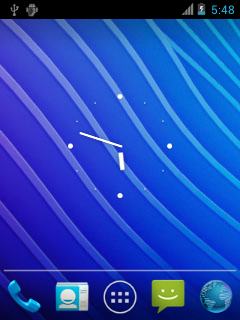
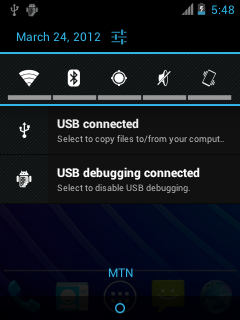
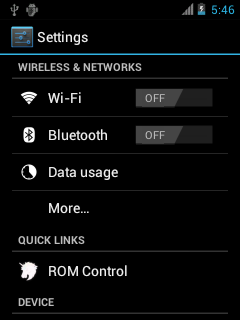
obrazekobrazekobrazekobrazekobrazekobrazekobrazek
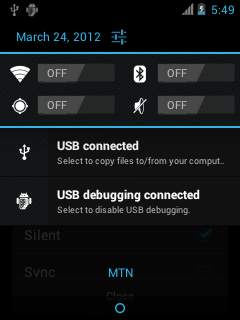
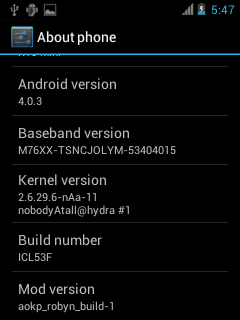
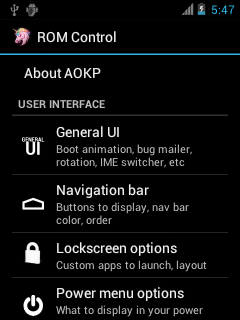
KEY POINTS
-AOKP Build-29
-Android 4.0.4
-nAa-ics 01 kernel/nAa 11 kernel
-ICS style toggles
-ROM Control application lets you take control of your ROM.
-IME Switcher toggle (show/hide notification when you type)
-Statusbar toggle options
-1% battery mod built in (check ROM Control)
-Check out all the options in ROM Control
-Nova Launcher
-SRS Panel
-Titanium Backup(Works,not inncluded)
-Angry Birds works with little lag !!!


INSTALLATION
1.Make sure you're on the latest CWM
2.MAKE A NANDROID BACKUP
3.wipe data/factory reset in recovery
4.flash ROM
5.flash Gapps
6.reboot(the first reboot will take 3 minutes or more,please be patient)
7.REEBOOT YOUR PHONE AGAIN TO SOLVE HOMESCREEN LAUNCHER PROBLEMS.

WORKING(i havnt checked most of the stuff so i need reviews)
1.GSM
2.Wifi
3.Bluetooth
4.Mobile Data
5 HW Acceleration
HW accelerator from MiniCM9 THANKS TO nAa

NOT WORKING
1.Camera
2.FM Radio
3.Video decoder

CHANGELOG

Build-29.1(Alpha version)
-Built from scratch
-Build 29
-Port from Nexus (maguro)
-Onscreeen touch buttons
-AOKP maguro framework
-No transition lag
(Note-"ROM control" does not work)

z chomika gangmar

  • 112,3 MB
  • 11 lip 12 19:19
obrazek
Rom android 2.2.1 FROYO

Requirements:
1.- Latest Baseband
2.- CWM of xperiamini or Xrecovery
3.- Stock KERNEL -- ONLY WORKS WITH THIS KERNEL!


How to install:

1. Download FROYExp Beta7
2. Boot into CWM or XRecovery
3. Full wipe
4. Flash the ROM
5. Reboot
6. Enjoy

z chomika gangmar

  • 112,3 MB
  • 11 lip 12 19:19
obrazekobrazekobrazekobrazekobrazekobrazek
Based on MiniCM7

Features
* Stable and Fast
* Xperia S look
* Latest Xperia boot animation
* Some Xperia Apps & Icons
* Launcher with Xperia S dock
* Xperia S Ringtones & Audios
* Beats Audio
* Bravia Hack
* Multi-Touch for both Cypress and Synaptic
* Stable and fast
* And a lot of Xperia S stuff

Known Bugs
None

Requirements
* Rooted
* Baseband 015
* Sony Ericsson Stock Kernel

z chomika gangmar

  • 88,4 MB
  • 11 lip 12 19:19
obrazekobrazekobrazekobrazek
This is first version of rom (RC0) !

What you need :
Unlocked Bootloader
nAa 11 by NobodyAtall (thanks this man )
Head and phone (X8, E15i)

What the new in the ROM :
- Walkman
- New Launcher
- ICS Theme
- Removed Browser, added Dolphin HD
- Better Capture video and photo
- Overclock
- Faster Wifi
- Bug fixes
- Faster
- And more ...

How to install rom :
0.Flash nAa 11
1.Open CWN
2. Make Full Wipe
3. Install Custom Zip and find NperiaBG and Flash it
4.Reboot and done

Whats Work :
• Phone Calls, SMS
• Bluetooth
• GPS
• Audio
• Camera
• USB Mount
• SD-Card
• All Sensors
• Google Apps
• SuperUser
• Clock
• Wifi
• Data / 3G
• USB Tethering
• All anyother
What have bugs :
• Google Play Store (sorry for this, we working )
What no working :
• Nothing

z chomika gangmar

  • 100,8 MB
  • 11 lip 12 19:19
obrazek

FEATURES:
BASED IN CM7.2 V11
(ALL FEATURES FROM MINICM7 2.1.9)
ICS ANIMATIOS
TRANSPARENT STATUS BAR
WALKMAN MOD
MSM TRANSPARENT
RADIO WITH TRANSPARENT BACKRAUND
GOOGLE PLAY STORE
BEATS AUDIO
ARC LAUNCHER
GALLERY MOTION
ROBOTO FONT LOCKSCREEN
LIBS ADRENO FROM FIREDROID 1.0
XPERIA KEYBOARD
HEADSET FIX FOR MINICM
SUPPORT FOR STOC KERNEL
XPERIA DIALER
TIMESCAPE
ZIPALIGN


REQUERIMENTS:
nAa kernel V11
Alfs v8 for CM7
STOCK KERNEL

z chomika gangmar

  • 97,9 MB
  • 11 lip 12 19:19
obrazekobrazekobrazekobrazekobrazekobrazekobrazekobrazekobrazekobrazekobrazekobrazekobrazekobrazek

MiniCM9 jest to custom-built, bazowany na CyanogenMod 9, działający IceCream Sandwich z kernelem nAa.


Przed napisaniem postu wykonaj full wipe (factory reset) w CWM.

Nie działa:
Kamera


Cechy:
Zbudowany dla MDPI
Pełna sprzętowa akceleracja (droga ICS)
OpenGL
MiniCM Update via c2dm (Ustawienia -> System -> Powiadomienia o nowych wersjach)
App2sd / Dalvik2sd kompatybilne z 2.1 app2sd (przechowywane do ext2/3/4 pre-existing partycji jest wykrywane i montowane)
Android native App2sd (przejście do sdcard, storing to fat)
W kernel ClockWorkMod Recovery v5.0.2.3 i opcji restart do recovery
Undervolt w ustawieniach -> Wydajność (domyślnie wyłączone)
Wsparcie KSM
Dodatkowe opcje wyświetlacza dokładniej Ultra brightness, również obsługiwane przez ikony paska powiadomień
Płynne przewijanie 2D w menu
Wifi Hotspot
USB tethering
Bluetooth tethering

Wymagania:
Najnowszy 2.1.1.A.0.6/2.1.1.C.0.0 SE firmware / Baseband: M76XX-TSNCJOLYM-53403015
Odblokowany bootloader
Ostatnia wersja ICS nAa kernel


Instrukcja:
Pobierz MiniCM9
Wykonaj kopię zapasową kontaktów, app, sms etc. lub wykonaj backup w CWM
Przenieś MiniCM9 na kartę SD. Pobierz Google Apps dla CM9 stąd
Upewnij się że posiadasz nAa-ics kernel
Wejdź w CWM i :
-Wybierz backup and restore -> Backup
-Wybierz wipe data/factory reset (musisz to zrobić)
-Flash MiniCM9, przez wybór install zip form sdcard -> wybierz zip from sdcard i wybierz MiniCM9
-Flash gapps w ten sam sposób
Rebot (pierwszy może trwać ok.2 minut)

Gdy urządzenie jest już uruchomione, możesz użyć powiadomień nAa rejestrując się do nadchodzących aktualizacji. W ten sposób można uzyskać powiadomienia o aktualizacjach MiniCM9 oraz nAa-ics kernel!

Poprawki:
Cypress hotfix : http://forum.xda-developers.com/atta...0&d=1333295238


Changelog:
- 1/4/12 MiniCM9 3.0.0 build


Build Changelog:

### MiniCM9-3.0.0

* CM9 - Android 4.0.4 code baseline
* Pełna sprzętow

z chomika gangmar

  • 88,3 MB
  • 11 lip 12 19:19
obrazekobrazekobrazekobrazekobrazekobrazekobrazek
CHCESZ WYCIĄGNĄĆ Z TEGO ROMU JESZCZE WIĘCEJ? POSTĘPUJ ZA MOIMI INSTRUKCJAMI:
1.Wejdź w "Ustawienia CyanogenMod"(w ustawieniach ogólnych)
2.Następnie wejdź w "Ustawienia Wydajności"
3.Włącz "Użyj Jit"
4.Włącz "Use 16bit transparency"

BUGI:
-nie działające radio
-aby była dostępna opcja "Włącz nośnik USB" przy przesyłaniu danych SD-->PC musisz obrócić telefon w poziomie!

V005b:
-fixed headset
-fixed root permission
-modded framework

YOU NEED nAa KERNEL!!!

z chomika gangmar

  • 89,2 MB
  • 11 lip 12 19:19
obrazekobrazekobrazekobrazekobrazekobrazek
CHANGELOG:

Xperience V6.0
* Minor fixes
* Improved performance
* Removed Xperia music
* Added original Cyanogen music player
* Improved screen animations
* New compilation 6.0
* Improved scrolling performance
* Media profiles update
* Xperience system theme Updated
* Added Active launcher
* Deleted launcher xperia S
* Added Wallpapers Xperience (in sony ericsson wallpapers)
* Deleted auto SWAP
* Added light transparency in pop ups
* Deleted bootanimation
* Added stock keyboard in a flashable zip
* Added chainfire super user

Requirements:

1. Latest baseband
2. Unlocked bootloader
3. CWM Recovery
4. Latest nAa kernel → ONLY WORKS WITH THIS KERNEL!

z chomika gangmar

  • 81,9 MB
  • 11 lip 12 19:19
obrazekobrazekobrazekobrazekobrazek

V005:
-based on MiniCM 2.2.0
-many visual changes for example:fonts, colour volume bar, transition and other (screens later)
-SRS Trumedia
-full deodex
-other small changes


YOU NEED nAa KERNEL!!!

z chomika gangmar

  • 115,8 MB
  • 11 lip 12 19:19
obrazekobrazekobrazekobrazekobrazekTeraz znalazłem ten bardzo szybki i stabilny rom.Jak to kuYaDroid ,tyle że trochę podkręcony i dodane elemanty z ICS

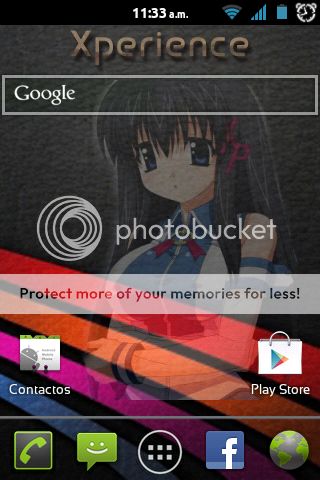
Funkcje:

* w oparciu o najnowsze kuyadroid 4.5.4, który w jest w oparciu o CM 7.2 RCO
* dodano nową boot animacje z ICS
* ICS ustawienia
Pliki * 99xtweaks przez ludzi z Xtreme
Dużo usprawnień takich jak:
-CFSK skrypt, sqlite_optimize skrypt, ekran dotykowy
-Kickass kernelizer
-Speedy tweak
-Sqlite optimalizer lightinizng zap tweak
-System_server od fugu
-Aktywne tapety chodzą płynnie
-Wyłączenie-weryfikacji kodu bajtowego Na dobre więcej wolnej pamięci RAM
-UI tweak, usprawnieie kart SD i wydajności
-defragging skrypt, zippaligning
-OnDemand tweak governor i niektóre bardziej drobne poprawki
-Czyszczenie skryptu, który usuwa Dalvik-cache oraz zbędne pliki z pamięci podręcznej
-Screenstate_Scaling

* lepsza żywotność baterii
* dodano poprawkę dla "trudno wyciągającego się paska powiadomień" (kernel)
pliki * netfilter by dioxanh
* walkman Blue Edition (aby dopasować styl ICS)
* i wiele więcej

Jak włączyć ICS:
-wejdź w menu do pozycji Theme Chooser
-Wybierz Ice Cream Sandwich i kliknij apply
-ciesz się ICS z KuYa

z chomika gangmar

  • 104,9 MB
  • 11 lip 12 19:19
obrazekobrazekobrazek

Hi Everybody!
I am not a developer, just a normal user that learn from all the Master in
XDA DEV
This is not my ROM,
this rom is belong to Rieyan Shinji from Indonesia.
I just wanna share here because i find it stable and free bugs

This ROM based on CM7.2 and work with Alfs08-CM7 and nAa-11 kernel.

Features
Latest CM7 nightlies
Better perfomance on kernel Alfs08-CM7
Improved 2d/3d performance
Revamped,Holo, Blade lockscreen style
Various enchancements and fixes from CM
The usual things as with other ROMs: WiFi, BlueTooth, USB, Sensors, 3D, Video, FM Radio, Camera, Rooted, JIT,
ZIP-aligned, App2SD
ICS Transition animations and rotation effect
Bravia Engine active
Everything is working

Installation
Unlock Bootloader
Flash Alfs or nAa kernel
Reboot to CWM Recovery
enter Mount and Storage -> /format system
Wipe data/factory reset -> Wipe cache partition enter Advance -> /wipe dalvik cache /wipe battery stats
Flash ROM = wait until finish
Flash Update, Addons
Reboot. Done

z chomika gangmar

  • 114,7 MB
  • 11 lip 12 19:19
obrazekobrazekobrazekobrazekobrazek
Requirements:

1. Latest baseband
2. Unlocked bootloader
3. CWM Recovery
4. Latest nAa kernel

How to install:

1. Download Xperience V5.0.1
2. Flash kernel using latest FLASHTOOL
3. Boot into CWM
4. Full wipe
5. Flash the ROM
6. Flash Google Apps
7. After step 6 → DO NOT FULL WIPE!
8. Reboot
9. Enjoy

z chomika gangmar

  • 95,6 MB
  • 11 lip 12 19:19
obrazek
Alfs

Changelog: CM7.2

Added New Walkman
New Framework
New Systemui
New Icons
New Market
New Lockscreen
Free Ram (99mb)
Full Language Support
CenterClock
Miui File Manager
LockScreen Font
2d and 3d tweaks
Walkman and Android Music
Backup Master
LunarUi
Rotate Animation
Ics Animation
Boot Animation
New Ringtone (Rafet El Roman)
New Notification
%70 Transparant
Transparant Statusbar
(Dev) Menu Background.png Changed

z chomika gangmar

  • 95,6 MB
  • 11 lip 12 19:19
obrazek
Alfs

Changelog: CM7.2

Added New Walkman
New Framework
New Systemui
New Icons
New Market
New Lockscreen
Free Ram (99mb)
Full Language Support
CenterClock
Miui File Manager
LockScreen Font
2d and 3d tweaks
Walkman and Android Music
Backup Master
LunarUi
Rotate Animation
Ics Animation
Boot Animation
New Ringtone (Rafet El Roman)
New Notification
%70 Transparant
Transparant Statusbar
(Dev) Menu Background.png Changed

z chomika gangmar

  • 114,7 MB
  • 11 lip 12 19:19
obrazekobrazekobrazekobrazekobrazek
Requirements:

1. Latest baseband
2. Unlocked bootloader
3. CWM Recovery
4. Latest nAa kernel

How to install:

1. Download Xperience V5.0.1
2. Flash kernel using latest FLASHTOOL
3. Boot into CWM
4. Full wipe
5. Flash the ROM
6. Flash Google Apps
7. After step 6 → DO NOT FULL WIPE!
8. Reboot
9. Enjoy

z chomika gangmar

  • 77,5 MB
  • 11 lip 12 19:19
obrazekobrazek

Requirements:

1. Latest baseband
2. CWM Recovery
3. latest nAa or alfs kernel


How to install:

1. Download Xperience Walkman™ Mod V1.0
2. Place it in your SD Card
3. Boot into CWM
4. Full wipe
5. Flash the ROM
6. After step 5 → DO NOT FULL WIPE!
7. Reboot
8. Enjoy

z chomika gangmar

  • 97,5 MB
  • 11 lip 12 19:19
obrazekobrazekobrazekobrazekobrazekobrazekobrazek
v023b - Fix for Stock Kernel users
14-03-2012
Busybox reverted to 1.15.3 to avoid soft bricks on stock kernels.
Alfs update inlcude newest busybox.

v023 - With new maintainer come a great lot of changes
14-03-2012
Latest CM7.2.0-RC0 Hero nightly.
Removed boot sound (haunt eagleeyetom if you miss it )
Removed CM7 File Manager
Added Root Browser by jrummy16
(Consider buying the app if you like it to support the developer)
Removed AChep's A-Theme Lite
Added AChep's ICSandwich Theme 030 (will be updated with each release)
(If you like to support AChep consider buying the theme to support him.)
Added eagleeyetom's EduRoam WiFi fix
Updated ax8mt (Stock Kernel Modules) to the requested fixed version
Updated GPS to Google's AGPS servers
Updated ClockworkMod Recovery to 4.0.1.5 by unic0de
Removed xRecovery
Updated Busybox to 1.19.4
Updated Play Store to 3.4.7 (formerly Android Market)
Updated Play Music to 4.1.513 (formerly Google Music)
Updated Superuser to 3.0.7 (su binary v3.0.3.2)
Updated YouTube to 2.4.4
Updated Gmail to 2.3.5.2
Updated VoiceSearch to 2.1.4
Added Adreno Libs by atis112 for Alfs Kernel (Alfs Kernel AddOn)
Added vold+chargemon by alfsamsung for Alfs Kernel (Alfs Kernel AddOn)
Added ax8netfilter by AnDyX for Stock Kernel (Stock Kernel Modules)
Thanks go out to:
deedii, vislavski, DefcOn, Xmaster8 and Maze for beta testing
doixanh for resolving the lockscreen problem (you rule, man)

Install Instructions

Optional: Flash Alfs
Note that flashing a kernel requires you to unlock the boot loader. Check the manufacturing date of your phone here first to avoid hard bricking!
Download the ROM
Copy the ZIP file to your SD card
Reboot to CWM (v014 or newer) or xRecovery (v013 or older)
Install custom zip
Install the Stock Kernel Modules AddOn or Alfs Kernel AddOn
Reboot

z chomika gangmar

  • 102,9 MB
  • 11 lip 12 19:19
obrazekobrazekobrazek
I have found this ROM from the facebook group Indonesia, rom was made by Elizabeth and named iTimmy. She made 2 versions of this ROM with the alfs-v8 (by djnilse) and nAa-11kernel. She said this ROM Base on MiniCM7-219

z chomika gangmar

  • 121,9 MB
  • 11 lip 12 19:19
obrazekobrazek
Requirements:

1. Latest baseband
2. xRecovery or CWM Recovery
3. SE Stock kernel

How to install:

1. Download Xperience V1.5
2. Place it in your SD Card
3. Boot into CWM or Xrecovery
4. Full wipe
5. Flash the ROM
6. After step 5 → DO NOT FULL WIPE!
7. Reboot
8. Enjoy

z chomika gangmar

  • 79,4 MB
  • 11 lip 12 19:19
obrazekobrazekobrazekobrazekobrazekobrazek
Instalacja
1.Pobierz rom i kernel
2.Flash alfs v8 or nAa 11
3.Wejdź w CWM i zainstaluj rom oraz google gapps
4.Full wipe
5.Gdy rom się załączy, uruchom ponownie i wejdz w CWM i zainstaluj update chargemon+vold.zip
6.Uruchom ponownie

V4
+bazowany na minicm7.2 feature (thanks to nobodyAtall)
+ICS transition z latającymi animacjami (thanks to Toni Sangemode)
+Blade Lockscreen
+poprawka ekranu w Xperia Dialer
+nowy Xperia S launcher (Mod by me)
+Wifi Tether i Usb tether
+płynny w grach HD
+poprawka dla języku Arabic
+wycentrowany zegar
+płynne przewijanie
+Xperia ICS bootanimation
+Xperia S interfejs
+poprawka dla kontroli jasnością
+i więcej...

z chomika gangmar

  • 113,9 MB
  • 11 lip 12 19:19
obrazekobrazekobrazekobrazekobrazek
Requirements:

1. Latest baseband
2. Unlocked bootloader
3. CWM Recovery
4. Latest nAa kernel → ONLY WORKS WITH THIS KERNEL!


How to install:

1. Download Xperience V5.0, kernel nAa 11
2. Flash kernel using latest FLASHTOOL
3. Boot into CWM
4. Full wipe
5. Flash the ROM
6. Flash Google Apps
7. After step 6 → DO NOT FULL WIPE!
8. Reboot
9. Enjoy

z chomika gangmar

  • 110,4 MB
  • 11 lip 12 19:19
obrazekobrazekobrazekobrazek
Requirements:

1. Latest baseband
2. Unlocked bootloader
3. CWM Recovery
4. Latest nAa kernel → ONLY WORKS WITH THIS KERNEL!


How to install:

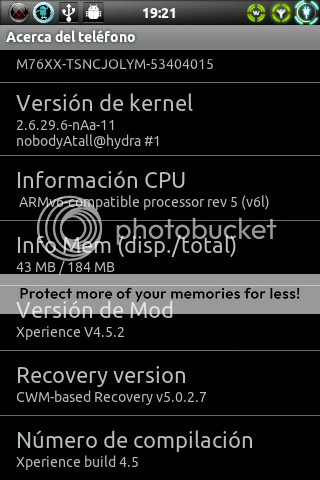
1. Download Xperience V4.5.2, Google Apps, kernel nAa 11
2. Flash kernel using flashtool
3. Boot into CWM
4. Full wipe
5. Flash the ROM
6. Flash Google Apps
7. After step 6 → DO NOT FULL WIPE!
8. Enjoy

CHANGELOG:

Xperience V4.5.2
* Fixed Framework (White background of text in notifications)
* Added Recording in MP4 HQ and AAC audio recoder (No more lags)
* Added FrozenHeart Theme → thanks to famecrew
* Added new messaging app and widgets sony ericsson Xperia
* Added new Fix in Script RAM
* Set Nozomi as default launcher, deleted ADW and Launcher Pro
* Fixed minor bugs and lags

z chomika gangmar

  • 87,7 MB
  • 11 lip 12 19:19
obrazek
Jak zainstalować:

1.Pobierz ROM Cerci V.6.zip
2.Skopiuj ROM Cerci V.6.zip do SD
3.Wgraj ROM przez CWM Recovery jako install zip from sdcard
4.Enjoy
5.Nie rób Full-Wipe.

Alfs

Changelog: CM7.2

Dodano Nowy odtwarzacz Walkman
Nowy lib
Nowa tapeta
Nowa Animowana tapeta
Poprawka 3D
Nowa poprawka wydajności
Naprawiono Num (?)
Niebieski theme
Wolna pamięć RAM (104 mb) Super wydajność
Battary Drain: 2 dni
Nowy Statusbar
Usunięto: Changelog
Usunięto: pakiet animowanych tapet
Usunięto: Mapy googla
Poprawiono: Szybkość uruchamiania tel.


Już wkrótce: V7 (na Stock kernel)

Granie w gry: Call of duty, Nfs, Pes 2012 ... na wysokim FPS

MinicmBased

Dzięki: Alfsamsung (za wspaniały kernel)


Instalacja:

Zrób kopie zapasową danych lub całego ROMu w CWM Recovery (Backup)
Skopiuj ROM v7.zip do SD
Odblokuj bootloader, jeśli nie masz.
Zrób flash KERNELA ALFS V7 ICS używając Flashtool.
Na koniec: Wgraj ROM v7.zip przez CWM Recovery jako install zip from sdcard

z chomika gangmar

« poprzednia stronanastępna strona »
  • Pobierz folder
  • Aby móc przechomikować folder musisz być zalogowanyZachomikuj folder
  • dokumenty
    0
  • obrazy
    0
  • pliki wideo
    0
  • pliki muzyczne
    0

60 plików
5,79 GB


Zgłoś jeśli naruszono regulamin
W ramach Chomikuj.pl stosujemy pliki cookies by umożliwić Ci wygodne korzystanie z serwisu. Jeśli nie zmienisz ustawień dotyczących cookies w Twojej przeglądarce, będą one umieszczane na Twoim komputerze. W każdej chwili możesz zmienić swoje ustawienia. Dowiedz się więcej w naszej Polityce Prywatności