




-

0 -

16255 -

992 -

20


25001 plików
13167,35 GB
 Foldery
"Is this how Rome treats its heroes?"
Oh yes, it is! KNULLI Gladiator was so good, it was bound to get a sequel. Hence, we are proud to announce that KNULLI Gladiator II has just gone public!
The new version is an update of KNULLI Gladiator, using still the same emulator versions etc. However, the new version comes with a couple of bugfixes and quality of live improvements. Most prominently, with Gladiator II, we finally introduce OTA (over the air) updates which will enable you to install future updates directly on-device!
We can't make any promises, obviously, but unless we make any huge changes which would require a reflash, you will be able to install all future KNULLI updates via OTA. (This will not shorten development cycles though! Expect OTA updates about every 3-4 month or so on the public update channel.)
You will find a complete list of all new features, fixes, and changes in the change log. However, here are some highlights:
New features of KNULLI Gladiator II
Added device support for Anbernic RG34XX SP, RG35XX Pro
Over-the-air updates via the Updates & Downloads menu will make future updates considerably more easy
SMB (SAMBA) is now a service you can turn on/off which is disabled by default
Added a toggle for always [auto-assigningc the built-in controls to player one and fixed issues with USB controller assignment
Fixed issues with standalone Dreamcast/PSP emulators on A133 devices (TrimUI Brick, TrimUI Smart Pro)
Bezel decorations
are now enabled automatically when Decoration Set is set to Auto
are now supported for standalone emulators on H700 devices (Anbernic RG XX series)
now come with a set Default-Knulli-SP specifically for GBA to give SP vibes on 4:3 clamshell displays
A Disk Check utility to verify your SD card's integrity was added to System Settings → Frontend Developer Options
Soft reset hotkey shortcut can be used to force EmulationStation to restart
Factory reset is now possible on-device via EmulationStation
A ton of bugfixes and improvements to system stability, performance, and battery life
Installation
NOTE: This version of KNULLI comes with a lot of new features which require to re-flash the firmware.
If you are new to KNULLI and want to get started: Head to the Quick Start Guide on our website - it will guide you through the installation and your very first steps.
Download the latest version of KNULLI from the Installation Package Downloads list below.
Write the image (e.g. knulli-h700-rg35xx-plus-gladiator-ii-20250813.img.gz) to an SD card using an imaging tool. Common imaging tools include Rufus, Raspberry Pi Imager, and Win32 Disk Imager. If you're skilled with the command line, dd works fine too.
Put the SD card into your retro gaming device and turn it on.
Wszelakie informacje na temat systemu znajdziecie na Githubie < tam też możecie pobrać obraz systemu :) >
\
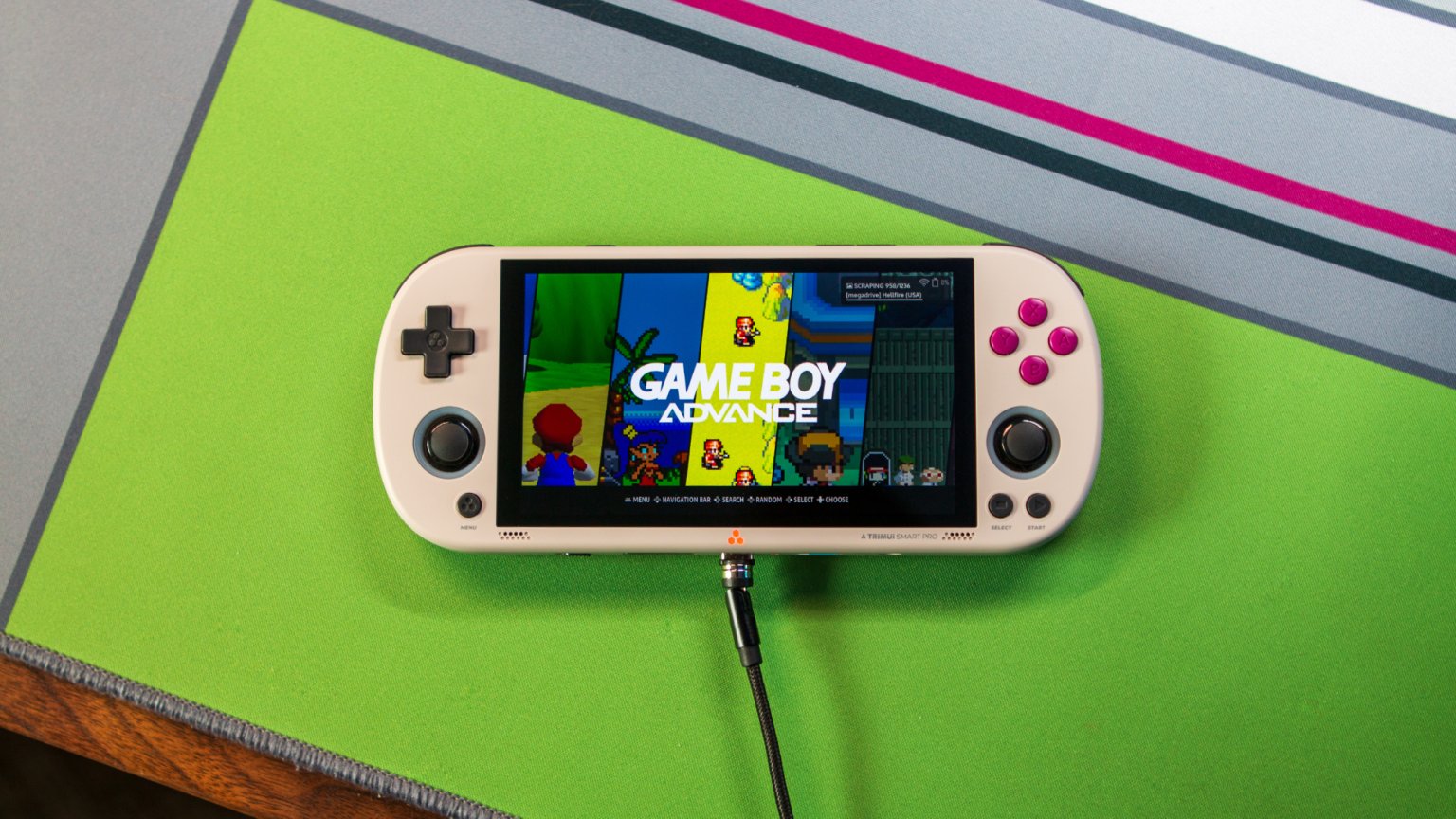
Oh yes, it is! KNULLI Gladiator was so good, it was bound to get a sequel. Hence, we are proud to announce that KNULLI Gladiator II has just gone public!
The new version is an update of KNULLI Gladiator, using still the same emulator versions etc. However, the new version comes with a couple of bugfixes and quality of live improvements. Most prominently, with Gladiator II, we finally introduce OTA (over the air) updates which will enable you to install future updates directly on-device!
We can't make any promises, obviously, but unless we make any huge changes which would require a reflash, you will be able to install all future KNULLI updates via OTA. (This will not shorten development cycles though! Expect OTA updates about every 3-4 month or so on the public update channel.)
You will find a complete list of all new features, fixes, and changes in the change log. However, here are some highlights:
New features of KNULLI Gladiator II
Added device support for Anbernic RG34XX SP, RG35XX Pro
Over-the-air updates via the Updates & Downloads menu will make future updates considerably more easy
SMB (SAMBA) is now a service you can turn on/off which is disabled by default
Added a toggle for always [auto-assigningc the built-in controls to player one and fixed issues with USB controller assignment
Fixed issues with standalone Dreamcast/PSP emulators on A133 devices (TrimUI Brick, TrimUI Smart Pro)
Bezel decorations
are now enabled automatically when Decoration Set is set to Auto
are now supported for standalone emulators on H700 devices (Anbernic RG XX series)
now come with a set Default-Knulli-SP specifically for GBA to give SP vibes on 4:3 clamshell displays
A Disk Check utility to verify your SD card's integrity was added to System Settings → Frontend Developer Options
Soft reset hotkey shortcut can be used to force EmulationStation to restart
Factory reset is now possible on-device via EmulationStation
A ton of bugfixes and improvements to system stability, performance, and battery life
Installation
NOTE: This version of KNULLI comes with a lot of new features which require to re-flash the firmware.
If you are new to KNULLI and want to get started: Head to the Quick Start Guide on our website - it will guide you through the installation and your very first steps.
Download the latest version of KNULLI from the Installation Package Downloads list below.
Write the image (e.g. knulli-h700-rg35xx-plus-gladiator-ii-20250813.img.gz) to an SD card using an imaging tool. Common imaging tools include Rufus, Raspberry Pi Imager, and Win32 Disk Imager. If you're skilled with the command line, dd works fine too.
Put the SD card into your retro gaming device and turn it on.
Wszelakie informacje na temat systemu znajdziecie na Githubie < tam też możecie pobrać obraz systemu :) >
\
Nie ma plików w tym folderze
-

0 -

0 -

0 -

0


0 plików
0 KB

 Chomikowe rozmowy
 Pokaż wszystkie
 Pokaż ostatnie





 Zaprzyjaźnione i polecane chomiki (127)


