Wykorzystujemy pliki cookies i podobne technologie w celu usprawnienia korzystania z serwisu Chomikuj.pl oraz wyświetlenia reklam dopasowanych do Twoich potrzeb.

Jeśli nie zmienisz ustawień dotyczących cookies w Twojej przeglądarce, wyrażasz zgodę na ich umieszczanie na Twoim komputerze przez administratora serwisu Chomikuj.pl – Kelo Corporation.

W każdej chwili możesz zmienić swoje ustawienia dotyczące cookies w swojej przeglądarce internetowej. Dowiedz się więcej w naszej Polityce Prywatności - http://chomikuj.pl/PolitykaPrywatnosci.aspx.

Jednocześnie informujemy że zmiana ustawień przeglądarki może spowodować ograniczenie korzystania ze strony Chomikuj.pl.

W przypadku braku twojej zgody na akceptację cookies niestety prosimy o opuszczenie serwisu chomikuj.pl.

Wykorzystanie plików cookies przez Zaufanych Partnerów (dostosowanie reklam do Twoich potrzeb, analiza skuteczności działań marketingowych).

Wyrażam sprzeciw na cookies Zaufanych Partnerów
NIE TAK

Wyrażenie sprzeciwu spowoduje, że wyświetlana Ci reklama nie będzie dopasowana do Twoich preferencji, a będzie to reklama wyświetlona przypadkowo.

Istnieje możliwość zmiany ustawień przeglądarki internetowej w sposób uniemożliwiający przechowywanie plików cookies na urządzeniu końcowym. Można również usunąć pliki cookies, dokonując odpowiednich zmian w ustawieniach przeglądarki internetowej.

Pełną informację na ten temat znajdziesz pod adresem http://chomikuj.pl/PolitykaPrywatnosci.aspx.

Nie masz jeszcze własnego chomika? Załóż konto
asassi123
  • Prezent Prezent
  • Ulubiony
    Ulubiony
  • Wiadomość Wiadomość

widziany: 9.03.2025 20:47

dodatkowe uprawnienia
  • pliki muzyczne
    50
  • pliki wideo
    2826
  • obrazy
    349
  • dokumenty
    13

6343 plików
5629,32 GB

Ukryj opis
  • 5,2 MB
  • 4 gru 14 11:03
obrazek▬▬▬▬▬▬▬▬▬▬▬▬▬▬▬▬▬▬▬▬▬▬▬▬▬▬▬▬▬▬▬▬▬▬▬▬▬▬▬▬▬▬▬▬▬▬▬▬▬▬▬▬▬▬▬▬▬▬▬▬▬▬▬▬▬▬▬▬▬▬▬▬▬▬▬▬▬▬▬▬▬▬


K-10 Mail Pro is the first and only email client for Android that combines a gorgeous graphical design with great user experience and the power of K-9 “under the hood”.

Important: K-10 Mail is neither the successor to K-9 nor to Kaiten Mail. K-10 and Kaiten Mail are two different apps from two different developers.

Please note: Exchange accounts are NOT supported yet.

Highlights:

Beautiful yet simple design for a great user experience
Automatic setup for many popular email services like Yahoo, Hotmail or Gmail
Supports more email services via IMAP, POP3 and/or SMTP
Split-screen views on tablet sized screens
Localized in more than 20 different languages
Encryption and signatures (PGP)
Highly configurable and customizable

Supports:

Phones and Tablets
Portrait and landscape mode
All screen types and sizes
Keyboard, trackball and touch screen
Android 2.2, 2.3, 3.x, 4.x

What's in this version: (Updated : Jul 6, 2014)

New IMAP IDLE implementation (push email) to reduce battery use
New contact picture implementation to improve performance
Copying html text into address fields (to, cc, bcc) didn’t work
In KitKat the message re-flow was broken
Fix for disappearing messages, messages becoming unread, sqlite errors etc.
Deleting mails was done without retry if it failed
More reliable DashClockWidget integration
Complete Russian translation
Numerous minor bug fixes and (performance) improvements

▬▬▬▬▬▬▬▬▬▬▬▬▬▬▬▬▬▬▬▬▬▬▬▬▬▬▬▬▬▬▬▬▬▬▬▬▬▬▬▬▬▬▬▬▬▬▬▬▬▬▬▬▬▬▬▬▬▬▬▬▬▬▬▬▬▬▬▬▬▬▬▬▬▬▬▬▬▬▬▬▬▬

z chomika olaf3377

  • 2,5 MB
  • 4 gru 14 11:03
obrazek▬▬▬▬▬▬▬▬▬▬▬▬▬▬▬▬▬▬▬▬▬▬▬▬▬▬▬▬▬▬▬▬▬▬▬▬▬▬▬▬▬▬▬▬▬▬▬▬▬▬▬▬▬▬▬▬▬▬▬▬▬▬▬▬▬▬▬▬▬▬▬▬▬▬▬▬▬▬▬▬▬▬

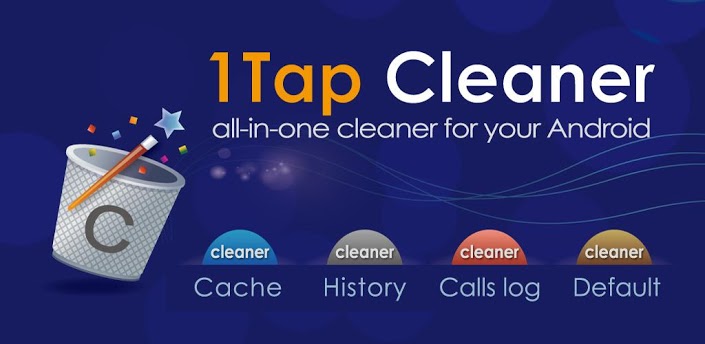
Kończy Ci się miejsce na aplikacje i inne dane? Teraz możesz uzyskać więcej miejsca w pamięci wewnętrznej urządzenia z pomocą aplikacji 1Tap Cleaner!

* Dziękujemy za ponad 4 miliony pobrań aplikacji! *

MODUŁY APLIKACJI:
★ Czyszczenie pamięci podręcznej
★ Czyszczenie historii
★ Czyszczenie logów połączeń/wiadomości
★ Czyszczenie domyślnych zachowań aplikacji

Moduły "Czyszczenie pamięci podręcznej", "Czyszczenie historii" oraz "Czyszczenie logów połączeń/wiadomości" pomogą uzyskać więcej miejsca w pamięci wewnętrznej Twojego urządzenia czyszcząc pamięć podręczną aplikacji, ich dane, lub historię wyszukiwania i przeglądanych stron. Jeśli masz za dużo aplikacji, które uruchamiają się domyślnie przy określonych czynnościach, moduł "Czyszczenie domyślnych zachowań aplikacji" pomoże w ograniczeniu ich ilości (choćby i do zera).

FUNKCJE APLIKACJI:
★ Czyszczenie pamięci podręcznej jednym dotknięciem
★ Czyszczenie historii wyszukiwania i odwiedzanych stron jednym dotknięciem
★ Czyszczenie logów połączeń jednym dotknięciem
★ Wyświetlanie wszystkich zainstalowanych aplikacji i możliwość wyczyszczenia ich domyślnych zachowań przy określonych czynnościach
★ Widżet na pulpit pokazujący zajmowaną przez aplikacje pamięć podręczną oraz wolną pamięć
★ Automatyczne czyszczenie zajmowanej przez aplikacje pamięci podręcznej z możliwością określonenia odstępu czasowego
★ Automatyczne czyszczenie w sytuacji, gdy wyczerpuje się miejsce w wewnętrznej pamięci urządzenia
★ Czyszczenie pamięci podręcznej lub historii pojedynczej aplikacji
★ Ostrzeżenie w sytuacji, gdy rozmiar pamięci podręcznej zajmowanej przez aplikacje zajmuje więcej niż 500 KB
★ Sortowanie aplikacji według rozmiaru ich pamięci podręcznej, rozmiaru ich danych, nazwy lub daty instalacji
★ Pokazywanie szczegółów aplikacji w sklepie Google Play lub w ustawieniach systemu
★ Odinstalowywanie aplikacji
★ Otwieranie aplikacji

UPRAWNIENIA, Z KTÓRYCH APLIKACJA KORZYSTA:
★ READ_CONTACTS, WRITE_CONTACTS: pokazywanie i usuwanie logów połączeń
★ READ_HISTORY_BOOKMARKS, WRITE_HISTORY_BOOKMARKS: pokazywanie i usuwanie historii wyszukiwania i przeglądanych stron
★ INTERNET - przesyłanie raportów o błędach w aplikacji

WIDEORECENZJA APLIKACJI:


UWAGI DLA POSIADACZY URZĄDZEŃ Z SYSTEMEM ANDROID 4.0:
★ Moduł "Czyszczenie pamięci podręcznej" nie działa w wersji 4.0.1 i 4.0.2 systemu przez występujący w nim błąd, Google naprawił ten błąd w wersji 4.0.3 systemu
★ System Android w wersji 4.0.x nie pozwala aplikacjom zewnętrznym na czyszczenie logów często wybieranych numerów, Google naprawił ten problem w wersji 4.1 systemu

▬▬▬▬▬▬▬▬▬▬▬▬▬▬▬▬▬▬▬▬▬▬▬▬▬▬▬▬▬▬▬▬▬▬▬▬▬▬▬▬▬▬▬▬▬▬▬▬▬▬▬▬▬▬▬▬▬▬▬▬▬▬▬▬▬▬▬▬▬▬▬▬▬▬▬▬▬▬▬▬▬▬

z chomika olaf3377

  • 3,5 MB
  • 4 gru 14 11:03
obrazek▬▬▬▬▬▬▬▬▬▬▬▬▬▬▬▬▬▬▬▬▬▬▬▬▬▬▬▬▬▬▬▬▬▬▬▬▬▬▬▬▬▬▬▬▬▬▬▬▬▬▬▬▬▬▬▬▬▬▬▬▬▬▬▬▬▬▬▬▬▬▬▬▬▬▬▬▬▬▬▬▬▬

Funkcje i wspierane elementy:
- Przesyłaj informacje bezpośrednio między 2 urządzeniami
- Twórz kopie zapasowe na swojej karcie SD
- Twórz kopie zapasowe w chmurze na naszych zabezpieczonych serwerach
- Przywracaj swoje kopie zapasowe na aktualnie używanym bądź nowym telefonie. (Migracja)
- Przeglądaj szczegółowo kopie zapasowe bez potrzeby ich przywracania
- Tworzenie kopii zapasowych i przywracanie (aplikacje)
- Tworzenie kopii zapasowych i przywracanie (zdjęcia)
- Tworzenie kopii zapasowych i przywracanie (muzyka)
- Tworzenie kopii zapasowych i przywracanie (filmy)
- Tworzenie kopii zapasowych i przywracanie (kontakty)
- Tworzenie kopii zapasowych i przywracanie (logi rozmów)
- Tworzenie kopii zapasowych i przywracanie (zakładki z przeglądarki)
- Tworzenie kopii zapasowych i przywracanie SMS-ów (wiadomości tekstowe)
- Tworzenie kopii zapasowych i przywracanie MMS-ów (załączniki)
- Tworzenie kopii zapasowych i przywracanie (kalendarz)
- Tworzenie kopii zapasowych i przywracanie (ustawienia systemowe)
- Tworzenie kopii zapasowych i przywracanie (ekrany, skróty i tapeta)
- Tworzenie kopii zapasowych i przywracanie (alarmy)
- Tworzenie kopii zapasowych i przywracanie (słownik)
- Tworzenie kopii zapasowych i przywracanie (playlisty muzyczne)
- Wsparcie dla WSZYSTKICH urządzeń z systemem Android!
- Dostępna w ponad 10 językach
- Najprostszy sposób na tworzenie kopii zapasowych w systemie Android
- BETA: Włącz proces tw. kopii zapasowej przy użyciu naszej strony internetowej www.rerware.com
- Wiele więcej...


__ PONIŻEJ ZNAJDUJĄ SIĘ FUNKCJE DOSTĘPNE TYLKO DLA ZROOTOWANYCH URZĄDZEŃ __
MyBackup Pro zawiera teraz wszystkie funkcje programu MyToolbox - za darmo.
Ta aplikacja pozwoli użytkownikom zrootwanych urządzeń na wielokrotny wybór i dokonywanie następujących czynności przez jedno kliknięcie!

- Zamrażanie zasobożernych aplikacji systemowych
- Odmrażanie zamrożonych aplikacji
- Czyszczenie cache aplikacji
- Czyszczenie danych aplikacji
- Odinstalowywanie aplikacji
- Rozłączanie aplikacji od usługi Android Market
- Łączenie aplikacji z usługą Android Market
- Wymuszanie zamknięcia aplikacji

▬▬▬▬▬▬▬▬▬▬▬▬▬▬▬▬▬▬▬▬▬▬▬▬▬▬▬▬▬▬▬▬▬▬▬▬▬▬▬▬▬▬▬▬▬▬▬▬▬▬▬▬▬▬▬▬▬▬▬▬▬▬▬▬▬▬▬▬▬▬▬▬▬▬▬▬▬▬▬▬▬▬

z chomika olaf3377

  • 3,9 MB
  • 4 gru 14 11:03
obrazek▬▬▬▬▬▬▬▬▬▬▬▬▬▬▬▬▬▬▬▬▬▬▬▬▬▬▬▬▬▬▬▬▬▬▬▬▬▬▬▬▬▬▬▬▬▬▬▬▬▬▬▬▬▬▬▬▬▬▬▬▬▬▬▬▬▬▬▬▬▬▬▬▬▬▬▬▬▬▬▬▬▬

Pogoda Clock Widget bez Reklam - Android,szybkie i dokładne aplikacji pogoda, zapewnia szczegółowa dla wszystkich miast na całym świecie , to przeszukuje swój adres i szybko lokalizuje miasta , i zapewniaaktualną temperaturę , aktualne warunki pogodowe , wilgotność i prędkość i kierunek wiatru ponadto pięć dziesięć dni i Godzinna prognoza pogody . Pogoda Clock Widget bez Reklam - Android jest wyposażony w wiele ciekawych widgetów , portret i krajobraz interfejs użytkownika .
Pogoda Clock Widget bez Reklam - Android pochodzi z różnych rozmiarów widgetu, 2x1, 4x1, 4x2 i 4x3 dla normalnych ekranów i 5x1, 5x2 i 5x3 dla dużych ekranów , jak i tabletek .
Pogoda Clock Widget bez Reklam - Android obsługuje szeroką gamę telefonów , obsługuje Android w wersji 2.2 i wyższej .
cechy:
- Zawiera aktualny stan pogody i pięć dni prognoza pogody
- 10 dni , a po godzinach Pogoda
- Wschód i Zachód razem
- Temperatura w pasku stanu
- Pogoda Share i informacji o lokalizacji z przyjaciółmi .
- Widżety ekranu głównego , 5x3 , 5x2 , 5x1 na dużym ekranie tylko i 4x3, 4x2 , 4x1 i 2x1 na wszystkich ekranach .
- Wyszukuje wszystkich miast na świecie kraje i miasta lub kod pocztowy
- Możliwość ustawienia źródła Internetu Wi-Fi tylko
- Możliwość wyłączenia dostępu do Internetu od operatorów , gdy jesteś w roamingu
- Możliwość ustawienia preferowanej jednostki temperatury , stopniach Celsjusza lub Fahrenheita
- Automatyczne aktualizacje są przedziały : 15 min , 30 min , 1 , 3 , 6 , 9 , 12 godzin i Ręczna aktualizacja .
- Automatyczne wykrywanie lokalizacji
- Do 10 różnych miejsc
- Mapa pogody z możliwością dodawania żadnego miasta do listy miast
- Alarmy powiadomień (z możliwością jej wyłączenia )
- Dostępne w: English, Dansk, Deutsch, Ελληνικά, Български, Suomi, Norsk Bokmål, Nederlands, Slovenčina, Slovenščina, Svenska, Română, العربية, كوردى, ئۇيغۇرچە, Français, Hrvatski, Türkçe, Čeština, Español, Català, Italiano, Português, Magyar, Македонски, Pусский, Українська, Polski, Português(Brasil), Српски, Lietuvių, Việt, 中文 (简体), 中文 (繁體), 한국어

▬▬▬▬▬▬▬▬▬▬▬▬▬▬▬▬▬▬▬▬▬▬▬▬▬▬▬▬▬▬▬▬▬▬▬▬▬▬▬▬▬▬▬▬▬▬▬▬▬▬▬▬▬▬▬▬▬▬▬▬▬▬▬▬▬▬▬▬▬▬▬▬▬▬▬▬▬▬▬▬▬▬

z chomika olaf3377

  • 1,8 MB
  • 4 gru 14 11:03
obrazek▬▬▬▬▬▬▬▬▬▬▬▬▬▬▬▬▬▬▬▬▬▬▬▬▬▬▬▬▬▬▬▬▬▬▬▬▬▬▬▬▬▬▬▬▬▬▬▬▬▬▬▬▬▬▬▬▬▬▬▬▬▬▬▬▬▬▬▬▬▬▬▬▬▬▬▬▬▬▬▬▬▬

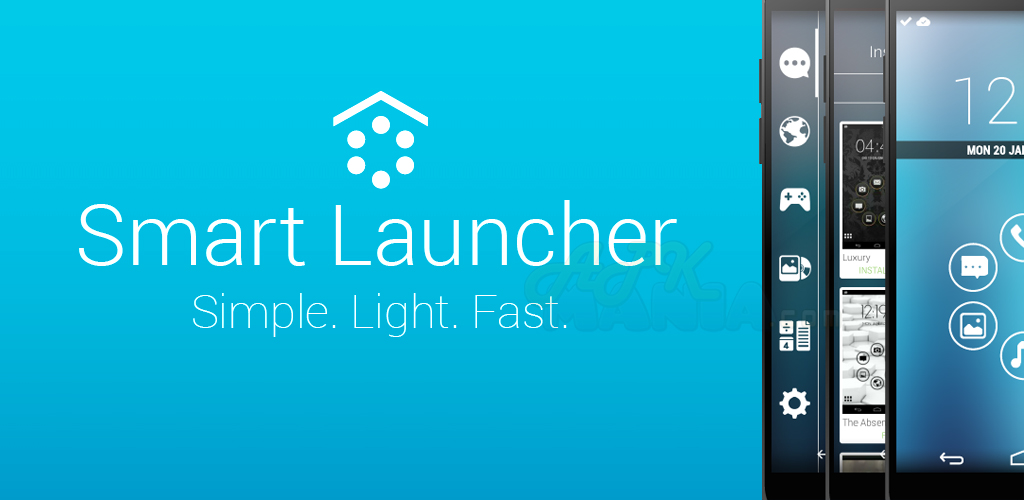
Smart Launcher to innowacyjny i minimalistyczny, wyróżniający się niskim zużyciem pamięci, z intuicyjnym interfejsem, dzięki, któremu za pomocą kilku kliknięć uruchomisz każdą aplikację.
Smart Launcher jako jedyny oferuje automatyczne kategoryzowanie aplikacji.

Wersja PRO wzbogacona jest o dodatkowy panel na widżety, więcej dostępnych tłumaczeń i kolorów do dostosowania wyglądu. Kupując wersję PRO wspomagasz rozwój aplikacji.

Minimalizm nie oznacza ograniczenia funkcjonalności!
Główny widok z Szybkim Startem
Schowek segregowany według kategorii
Gotowy do użycia bez dodatkowej konfiguracji.
Wsparcie animowanych tapet
Wspiera każdy ekran i urządzenie (Także Google TV)
Wsparcie widżetów (Tylko w wersji PRO)
Wspiera istniejące paczki ikon dla Launcher Pro, ADW Launcher, APEX
Możliwość zmiany ikon poszczególnych aplikacji w schowku
Możesz schować każdą aplikację poprzez długie dotknięcie jej ikony i wybór Menu -> Ukryj.
Szybkie wyszukiwanie
Mnóstwo dostępnych motywów.
Łatwy dostęp do informacji o aplikacji
Zaprojektowany by wygodnie używać także w widoku poziomym.
Możliwość schowania paska stanu.

▬▬▬▬▬▬▬▬▬▬▬▬▬▬▬▬▬▬▬▬▬▬▬▬▬▬▬▬▬▬▬▬▬▬▬▬▬▬▬▬▬▬▬▬▬▬▬▬▬▬▬▬▬▬▬▬▬▬▬▬▬▬▬▬▬▬▬▬▬▬▬▬▬▬▬▬▬▬▬▬▬▬

z chomika olaf3377

  • 16,1 MB
  • 4 gru 14 11:03
obrazek▬▬▬▬▬▬▬▬▬▬▬▬▬▬▬▬▬▬▬▬▬▬▬▬▬▬▬▬▬▬▬▬▬▬▬▬▬▬▬▬▬▬▬▬▬▬▬▬▬▬▬▬▬▬▬▬▬▬▬▬▬▬▬▬▬▬▬▬▬▬▬▬▬▬▬▬▬▬▬▬▬▬

Color Booth allows you to take any image and manipulate the colors to allow you to easily visualize what a room, landscape, or object would look like as a different color. You can change your hair color or your car's color even your eyes color.

You can remove red eyes with this app and post your picture to facebook with a single click and make your profile pictures much more interesting. Dye your walls to another color or paint your skin with green or any color you want also this app lets you to make color splash effect with giving you chance to decolor any area of image with desaturate paint option.
This app has been optimized for tablets, especially for Nexus 7.

Features:

Pinch zoom(zoom with fingers)
Scalable brush size
Share your images on Facebook
Preview mode
Masked and colored view options
Color history

What's in this version : (Updated : Jun 6, 2014)

Photo orientation bug fix for Kitkat.
Google Analytics integration.

▬▬▬▬▬▬▬▬▬▬▬▬▬▬▬▬▬▬▬▬▬▬▬▬▬▬▬▬▬▬▬▬▬▬▬▬▬▬▬▬▬▬▬▬▬▬▬▬▬▬▬▬▬▬▬▬▬▬▬▬▬▬▬▬▬▬▬▬▬▬▬▬▬▬▬▬▬▬▬▬▬▬

z chomika olaf3377

  • 17,6 MB
  • 4 gru 14 11:03
obrazek▬▬▬▬▬▬▬▬▬▬▬▬▬▬▬▬▬▬▬▬▬▬▬▬▬▬▬▬▬▬▬▬▬▬▬▬▬▬▬▬▬▬▬▬▬▬▬▬▬▬▬▬▬▬▬▬▬▬▬▬▬▬▬▬▬▬▬▬▬▬▬▬▬▬▬▬▬▬▬▬▬▬

HDR FX Photo Editor gives you the best and most vibrant HDR like look on any mobile platform and this is all accomplished from just a single image. Use sliders to get the very same HDR look you had admired on many photographic sites. With right adjustments you can have professional results with HDR Effect. The result will be similar to professional HDR camera photographs. Also you can give dramatic black and white effect to your images with a few touches. HDR FX also provides sepia option. Other than HDR effects you can apply Curve adjustments to your photos. We give you same tools with famous desktop photo apps’ tools. One of most used tool from desktop app is curve adjustment. Witt HDR Fx Curve adjustment is now under your fingers. You can do curve adjustments on red green and blue channels you can apply it directly to the rgb channel. HDR Fx also provide another important photo edit tool called Levels. You can achive professional results with adjusting black and white tone adjustment or applying gamma adjustment with a single touch. Another great feature from HDR FX is, frames, HDR FX comes with tens of different frame options.

▬▬▬▬▬▬▬▬▬▬▬▬▬▬▬▬▬▬▬▬▬▬▬▬▬▬▬▬▬▬▬▬▬▬▬▬▬▬▬▬▬▬▬▬▬▬▬▬▬▬▬▬▬▬▬▬▬▬▬▬▬▬▬▬▬▬▬▬▬▬▬▬▬▬▬▬▬▬▬▬▬▬

z chomika olaf3377

  • 2,9 MB
  • 4 gru 14 11:03
obrazek▬▬▬▬▬▬▬▬▬▬▬▬▬▬▬▬▬▬▬▬▬▬▬▬▬▬▬▬▬▬▬▬▬▬▬▬▬▬▬▬▬▬▬▬▬▬▬▬▬▬▬▬▬▬▬▬▬▬▬▬▬▬▬▬▬▬▬▬▬▬▬▬▬▬▬▬▬▬▬▬▬▬

You are away from their desk or home computer? You urgently need a file from it? This program is for you! The program is designed for remote access to your computer. Wherever
you are, your files are always with you.

The program will automatically find your computer and choose the best way to connect to it. You can copy, delete, download and upload files and install Android apps from your PC in one click. You can watch screen on your PC, watch what happens to your home via WEBCAM, send messages and other... Perfect for parents monitoring their children’s computer usage, employers verifying employee activities, or business people. No network setup required. Setup is easy.

Live view
Live control
Webcam Live View
Remote file manager
Remote process control
Send messages
Power manager
Media Control
Remote Actions

What's in this version : (Updated : Jun 8, 2014)

More secure connection.
Selecting folder for download files.
View logs of connection(on official site).
Added Czech language.
Confirmation of registration for new users.
Native notifications.
Bug fixes and optimization.

▬▬▬▬▬▬▬▬▬▬▬▬▬▬▬▬▬▬▬▬▬▬▬▬▬▬▬▬▬▬▬▬▬▬▬▬▬▬▬▬▬▬▬▬▬▬▬▬▬▬▬▬▬▬▬▬▬▬▬▬▬▬▬▬▬▬▬▬▬▬▬▬▬▬▬▬▬▬▬▬▬▬

z chomika olaf3377

  • 18,1 MB
  • 4 gru 14 11:03
obrazek▬▬▬▬▬▬▬▬▬▬▬▬▬▬▬▬▬▬▬▬▬▬▬▬▬▬▬▬▬▬▬▬▬▬▬▬▬▬▬▬▬▬▬▬▬▬▬▬▬▬▬▬▬▬▬▬▬▬▬▬▬▬▬▬▬▬▬▬▬▬▬▬▬▬▬▬▬▬▬▬▬▬

Features:

1,350+ uniquely designed icons
10 HD wallpapers with cloud based chooser
Weekly updates every Friday
Multiple launcher support (see below)
Theme dashboard

What is Vibe?
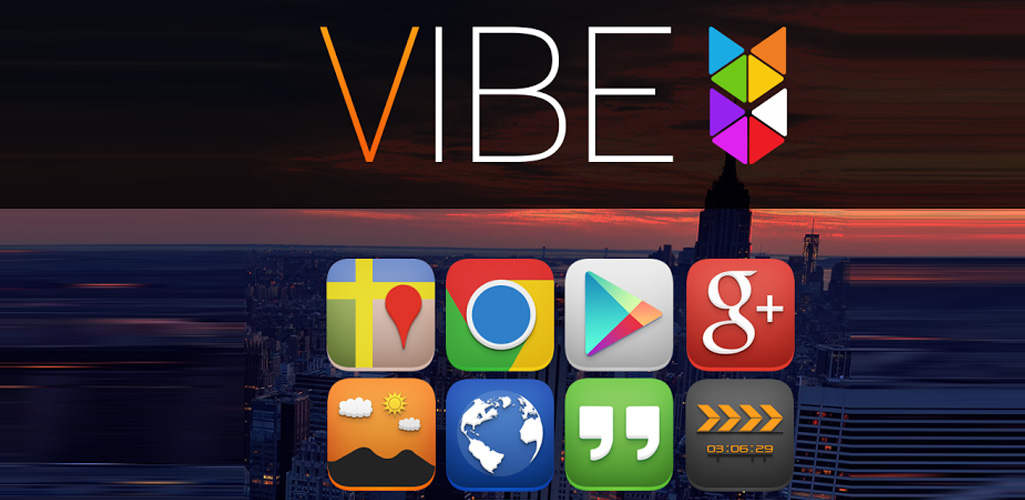
Vibe is an icon pack/theme that features a vibrant color palette with a unique dimensional style. Subtle shadowing combined with dimensional effects help every icon come alive on your homescreen. Each icon has been hand designed to ensure a professional level of detail as well as uniformity for the entire theme. All icons are in HD at 144 x 144 pixels. To use this theme you'll need one of the supported launchers that are listed below.

Supported Launchers:

Nova Launcher
Apex Launcher
Action Launcher
ADW Launcher
Next Launcher 3D
GO Launcher EX
Aviate
Smart Launcher
Holo Launcher
Atom Launcher
Solo Launcher
TSF Shell
Unicorn (Icon Themer)
Desktop Visualizer
May also with other Launchers and applications.

What's in this version : (Updated : Jun 6, 2014)

20 new/updated icons
Activity fixes
Added popup to display icon name when an icon is pressed in the Icons section within the application
For more information see the full details here -
Fixed correct icon names displaying in search results

▬▬▬▬▬▬▬▬▬▬▬▬▬▬▬▬▬▬▬▬▬▬▬▬▬▬▬▬▬▬▬▬▬▬▬▬▬▬▬▬▬▬▬▬▬▬▬▬▬▬▬▬▬▬▬▬▬▬▬▬▬▬▬▬▬▬▬▬▬▬▬▬▬▬▬▬▬▬▬▬▬▬

z chomika olaf3377

  • 2,4 MB
  • 4 gru 14 11:03
obrazek▬▬▬▬▬▬▬▬▬▬▬▬▬▬▬▬▬▬▬▬▬▬▬▬▬▬▬▬▬▬▬▬▬▬▬▬▬▬▬▬▬▬▬▬▬▬▬▬▬▬▬▬▬▬▬▬▬▬▬▬▬▬▬▬▬▬▬▬▬▬▬▬▬▬▬▬▬▬▬▬▬▬

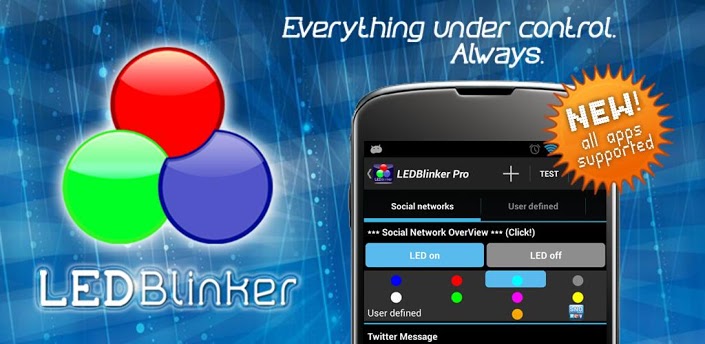
ALL apps are now supported, click on the + button on top
This app is very simple to use and not much configuration is needed!
Warning: Unlike other apps in this category you don't need 'ROOT' access to use LEDBlinker and this app is very battery friendly!

Hint:
If you have problems please do a full re-install and/or reboot your phone. Otherwise contact me over the in-app function or look for solutions here:

Warning:
If your phone speaks after install (Samsung S4, S3, S3 Mini, S2, Note1, Note2, LG Nexus 4) you have to disable Samsung TTS (text-to-speech) under settings -> apps manager -> all (on the right) and Google TTS (text-to-speech).
Only needed when you use the accessiblity service!

Another solution to fix talkback issue:

You can change the launcher by using another one from the Google Play Store. For example, Nova Launcher or Go Launcher (maybe Holo launcher). These launchers will not exhibit this bug.
For Samsung S4 users: If your phone speaks when opening your browser you have to use another browser like Chrome or Firefox.
Hint HTC users: Your phone is NOT supported, you have to use the on screen led!
And this app doesn't use internet permission, your data is SAFE!!!
Please try the lite version first to test the hardware led (on screen led is always working).

Functions:

ALL apps are now supported, click on the + button on top!!!
Let your LED show your missed calls and sms
Battery status (LED notification for low battery, < 10%)
Google Mail
Calendar reminder notifications
Google Talk/Google Hangouts
Standard Android EMail App now supported
Hike messages
SNOView - Social Network Overview notification
The Developer Checkout Manager (DCM)
Facebook messages
WhatsApp messages
Skype messages
gReader messages
Bluetooth messages
Alternative On-Screen-LED
Autostart function after device reboot

▬▬▬▬▬▬▬▬▬▬▬▬▬▬▬▬▬▬▬▬▬▬▬▬▬▬▬▬▬▬▬▬▬▬▬▬▬▬▬▬▬▬▬▬▬▬▬▬▬▬▬▬▬▬▬▬▬▬▬▬▬▬▬▬▬▬▬▬▬▬▬▬▬▬▬▬▬▬▬▬▬▬

z chomika olaf3377

  • 4,0 MB
  • 4 gru 14 11:03
▬▬▬▬▬▬▬▬▬▬▬▬▬▬▬▬▬▬▬▬▬▬▬▬▬▬▬▬▬▬▬▬▬▬▬▬▬▬▬▬▬▬▬▬▬▬▬▬▬▬▬▬▬▬▬▬▬▬▬▬▬▬▬▬▬▬▬▬▬▬▬▬▬▬▬▬▬▬▬▬▬▬

Get fully immersed in your Twitter with this beautiful, feature PACKED Twitter client with a design that actually makes sense!

Created with Android 4.4 (KitKat) in mind. Includes full screen (translucent) layouts, stunning animations and more! Of course that doesn’t mean earlier versions of android get left out! The only thing that wasn’t able to be recreated in Android 4.3 and below was the transparent navigation and status bars… Sorry! It just isn’t possible :(

Beautiful, up-to-date layouts, designs, and neat animations isn’t the only thing Talon has going for it though! The list of features is enormous as well, doing everything you could ever want from a Twitter app right off the bat. Even though it is new, I have added every single major and minor Twitter feature that I think is absolutely essential plus a ton that most people wouldn’t even think of. Here is a pretty comprehensive list of its features:

Twitter features:
- Live streaming support
- Support for 2 accounts
- View your timelines (main, mentions, direct messages, links, and pictures)
- Favorite users
- Update your profile picture, banner, location, and user description
- block, follow, and add users to lists
- Attach locations to your tweets
- And the list goes on :)

Customization features:
- Extremely powerful developer theme engine (https://github.com/klinker24/talon_theme)
- Choose between either “Talon” or “Hangouts” layouts
- Choose from 3 beautiful base themes (light, dark, and pitch black)
- Custom text sizes
- Night mode
- Auto-Refresh options
- Custom notification settings
- And many other goodies in there as well!

App Features:
- “Talon Pull” to be always listening for tweets/interactions
- Expandable, actionable, and dynamic notification system
- Full app popup
- Full emoji support
- View in-line Twitter and Instagram pictures
- View in-line YouTube thumbnails
- Native YouTube player
- In-app browser
- Complete landscape and tablet modes
- Advance to new pages in a “windowed” viewing mode
- Never leave your timeline with in-line replies, favorites, and retweets
- Hiding action bar
- “Do not disturb” mode
- Widget for main timeline
- DashClock Extension
- Google style pull to refresh for quick refreshing

You will never go back to your old Twitter client again!

▬▬▬▬▬▬▬▬▬▬▬▬▬▬▬▬▬▬▬▬▬▬▬▬▬▬▬▬▬▬▬▬▬▬▬▬▬▬▬▬▬▬▬▬▬▬▬▬▬▬▬▬▬▬▬▬▬▬▬▬▬▬▬▬▬▬▬▬▬▬▬▬▬▬▬▬▬▬▬▬▬▬

z chomika olaf3377

  • 2,4 MB
  • 4 gru 14 11:03
obrazek▬▬▬▬▬▬▬▬▬▬▬▬▬▬▬▬▬▬▬▬▬▬▬▬▬▬▬▬▬▬▬▬▬▬▬▬▬▬▬▬▬▬▬▬▬▬▬▬▬▬▬▬▬▬▬▬▬▬▬▬▬▬▬▬▬▬▬▬▬▬▬▬▬▬▬▬▬▬▬▬▬▬

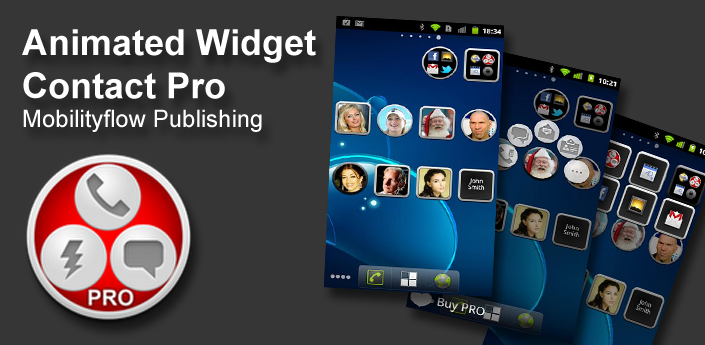
Contact, Group Contact widgets shows photo of the contact(s), have quick (speed) dial, quick SMS, chat and email options.
App Launcer widget shows selected by you apps at one icon, so you can group your apps for example: Games, Office, etc.

PRO version has no limitations on widgets count.

Animated fast dial widget greatly facilitates such tasks as dialing frequent or favorite contacts, sending SMS, MMS or e-mailing. Call your contacts in 2 taps.
The user’s actions are accompanied by customizable video effects, which are perfectly realistic and strikingly beautiful.

Favorite apps launcher. You can add some frequently used apps to group widget and start those apps in 2 clicks. You can Save space on your home screen.
Group items according to labels and create fully customizable folders and widgets. You can organize your apps.

What's in this version : (Updated : Jun 7, 2014)

fixed problem with custom images
fixed problem with empty list in group contact selector: currently applied filters are visible now and could be removed by single tap
fixed several bugs in bookmarks launcher
effect of moving shorcuts was returned
Facebook selector was completely changed because of recent changes in Facebook API
minor improvements and bug fixes

▬▬▬▬▬▬▬▬▬▬▬▬▬▬▬▬▬▬▬▬▬▬▬▬▬▬▬▬▬▬▬▬▬▬▬▬▬▬▬▬▬▬▬▬▬▬▬▬▬▬▬▬▬▬▬▬▬▬▬▬▬▬▬▬▬▬▬▬▬▬▬▬▬▬▬▬▬▬▬▬▬▬

z chomika olaf3377

  • 2,7 MB
  • 4 gru 14 11:03
obrazek▬▬▬▬▬▬▬▬▬▬▬▬▬▬▬▬▬▬▬▬▬▬▬▬▬▬▬▬▬▬▬▬▬▬▬▬▬▬▬▬▬▬▬▬▬▬▬▬▬▬▬▬▬▬▬▬▬▬▬▬▬▬▬▬▬▬▬▬▬▬▬▬▬▬▬▬▬▬▬▬▬▬

Mój budżet nie jest typowy. Dzięki tej aplikacji dokładnie widzisz swoje wpływy i wydatki oraz możesz lepiej zarządzać pieniędzmi.

Rejestrowanie pojedynczych przepływów pieniężnych i zleceń stałych umożliwi spojrzenie na kolejne miesiące, aby wiedzieć, ile pieniędzy jest do dyspozycji w każdym miesiącu. Dodatkowo jest to prezentowane na widoku graficznym, więc można lepiej planować (większe) zakupy w ciągu miesięcy.

Kto tego nie zna – chcesz coś kupić i pytasz się, czy masz w ogóle na to pieniądze. Za pomocą Mojego zeszytu wydatków domowych możesz wyświetlić swoje aktualne saldo i zobaczyć, jakie koszty trzeba jeszcze ponieść w tym miesiącu.

Najważniejsze właściwości:
✔ Łatwy dostęp. Nie jest konieczne połączenie internetowe.
✔ Bez rejestracji!
✔ Dostępny w 10 językach: Polski, English, Deutsch, Español, Português, Français, Italiano, Nederlands, Pусский, Magyar.
✔ Zobacz aktualne saldo miesięczne po uruchomieniu aplikacji.
✔ Skorzystaj z widoku graficznego, aby zaplanować swoje koszty na kilka miesięcy.
✔ Skonfiguruj widok ustalając, ile miesięcy w przeszłości i przyszłości pokazać.
✔ Zarządzaj więcej niż jednym kontem.
✔ Księguj wpływy i wydatki na różnych kontach.
✔ Ustal początek miesiąca, aby pracować jeszcze bardziej elastycznie.
✔ W statystykach można zobaczyć w formie tabeli lub graficznie, gdzie zostały pieniądze, poprzez kategoryzację wszystkich wpływów i wydatków.
✔ Wpływy i wydatki można filtrować według miesięcy, kwartałów i całych lat.
✔ Skorzystaj z wydajnej funkcji wyszukiwania, aby wyszukać określone wydatki i/lub okresy czasu.
✔ Przenieść automatycznie saldo na kolejny miesiąc.
✔ Zarządzanie zleceniami stałymi umożliwia już dzisiaj planowanie na następne miesiące.
✔ Tworzenie szablonów w celu jeszcze szybszego rejestrowania wydatków.
✔ Tworzenie kolejnych kategorii głównych i podkategorii, aby uzyskać większą przejrzystość przepływu kosztów.
✔ Obserwowanie ważnych wydatków na karcie zapamiętania.
✔ Ochrona danych poprzez aktywowanie ochrony hasłem.
✔ Eksport danych w formacie HTML lub CSV (na karcie SD).
✔ Tworzenie kopii zapasowych do zabezpieczania danych.
✔ Import istniejących danych poprzez funkcję importu CSV (Plik CSV należy zapisać w katalogu "KartaSD/Mój budżet" i zaimportować poprzez okno dialogowe ustawień (import innych formatów na zapytanie).
✔ 4 Widgets.

▬▬▬▬▬▬▬▬▬▬▬▬▬▬▬▬▬▬▬▬▬▬▬▬▬▬▬▬▬▬▬▬▬▬▬▬▬▬▬▬▬▬▬▬▬▬▬▬▬▬▬▬▬▬▬▬▬▬▬▬▬▬▬▬▬▬▬▬▬▬▬▬▬▬▬▬▬▬▬▬▬▬

z chomika olaf3377

  • 1,6 MB
  • 4 gru 14 11:03
obrazek▬▬▬▬▬▬▬▬▬▬▬▬▬▬▬▬▬▬▬▬▬▬▬▬▬▬▬▬▬▬▬▬▬▬▬▬▬▬▬▬▬▬▬▬▬▬▬▬▬▬▬▬▬▬▬▬▬▬▬▬▬▬▬▬▬▬▬▬▬▬▬▬▬▬▬▬▬▬▬▬▬▬

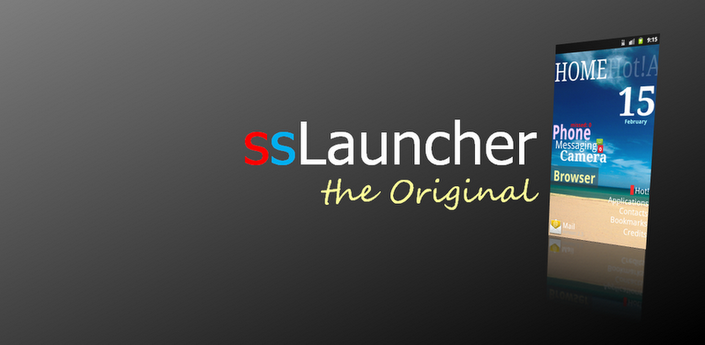
More freedom to your device!
'ssLauncher the Original' is implementing all features of ssLauncher(free version). Additionally, this includes more features, some of which will be applied to the free version with approximately monthly intervals.

Features :

all of ssLauncher
copy & paste of shortcuts
crop icons and images
additional page transition animations
support folder in application drawer (planned) (*)

▬▬▬▬▬▬▬▬▬▬▬▬▬▬▬▬▬▬▬▬▬▬▬▬▬▬▬▬▬▬▬▬▬▬▬▬▬▬▬▬▬▬▬▬▬▬▬▬▬▬▬▬▬▬▬▬▬▬▬▬▬▬▬▬▬▬▬▬▬▬▬▬▬▬▬▬▬▬▬▬▬▬

z chomika olaf3377

  • 0,7 MB
  • 4 gru 14 11:03
▬▬▬▬▬▬▬▬▬▬▬▬▬▬▬▬▬▬▬▬▬▬▬▬▬▬▬▬▬▬▬▬▬▬▬▬▬▬▬▬▬▬▬▬▬▬▬▬▬▬▬▬▬▬▬▬▬▬▬▬▬▬▬▬▬▬▬▬▬▬▬▬▬▬▬▬▬▬▬▬▬▬

Volume Ace is a Volume Manager that allow you to fast and easily manage your device volume levels. You can create profiles and switch or select them straight from the widgets. Schedule profiles to apply automatically.

Features:
• Create your own volume presets. Now each profile can save his own Ringtone, Notification and Alarm tone.
• Scheduler : Schedule profiles to apply automatically at the time and day you choose.
• Plugs : Automatically switch to profiles of choice when plugging Earphones, Desk or Car.
• Set Mode(From widget too): Silent, Vibration & Normal.
• Cycle through profiles by tapping widget
• Tone picker for Ringtone, Notification and Alarm
• Sounds while adjusting volume (using the actual tone)
• 8 Widgets with volume levels and profiles
• Custom colors/style to widgets and main screen (Orange, Azure, Green, Red, White, Vintage, Blue Yellow, Pink and Purple)
• Volume Locker: Prevent ringer and/or media volume to be changed outside the app.
• Bluetooth volume

Languages available: Cs,De,Da,En,Es,Fr,Ko,He,It,Iw, Ru & Tw.

▬▬▬▬▬▬▬▬▬▬▬▬▬▬▬▬▬▬▬▬▬▬▬▬▬▬▬▬▬▬▬▬▬▬▬▬▬▬▬▬▬▬▬▬▬▬▬▬▬▬▬▬▬▬▬▬▬▬▬▬▬▬▬▬▬▬▬▬▬▬▬▬▬▬▬▬▬▬▬▬▬▬

z chomika olaf3377

  • 11,1 MB
  • 4 gru 14 11:03
▬▬▬▬▬▬▬▬▬▬▬▬▬▬▬▬▬▬▬▬▬▬▬▬▬▬▬▬▬▬▬▬▬▬▬▬▬▬▬▬▬▬▬▬▬▬▬▬▬▬▬▬▬▬▬▬▬▬▬▬▬▬▬▬▬▬▬▬▬▬▬▬▬▬▬▬▬▬▬▬▬▬

#Vidstitch seamlessly combines your videos and photos to share your collage on Instagram. It’s easy!

We engineered this app from the ground up to be an intuitive and effortless experience for you. #Vidstitch is intelligent and automagically optimizes for Instagram. Just choose your videos and photos and let #Vidstitch handle everything in the background.

≈ Less is More ≈
◎ Simple and intuitive user interface
◎ Choose your frame
◎ Combine your videos and photos
◎ Share your #Vidstitch on Instagram, Facebook, or Twitter

≈ Features ≈
◉ Combine videos and pics
◉ Multiple frames to choose from
◉ Rotate your video or pic (long press)
◉ Play preview before saving
◉ Post to Facebook, Twitter, and Instagram
◉ Simple and Intuitive UI
◉ Optimized for Android
◉ Add multiple video clips
◉ Add your own soundtrack
◉ Animated GIF support! Select the length of animation under video settings.
◉ Single frames to allow you to post your full size videos without cropping!

≈ Upcoming updates ≈
◎ Video cropping
◎ More music options

≈ Notes from Developer ≈
◉ Regarding Instagram bugs. Please update to the latest version of Instagram.

What’s New
v.1.5
- Music Cropping!
- 100s of NEW frames!

▬▬▬▬▬▬▬▬▬▬▬▬▬▬▬▬▬▬▬▬▬▬▬▬▬▬▬▬▬▬▬▬▬▬▬▬▬▬▬▬▬▬▬▬▬▬▬▬▬▬▬▬▬▬▬▬▬▬▬▬▬▬▬▬▬▬▬▬▬▬▬▬▬▬▬▬▬▬▬▬▬▬

z chomika olaf3377

  • 6,0 MB
  • 4 gru 14 11:03
▬▬▬▬▬▬▬▬▬▬▬▬▬▬▬▬▬▬▬▬▬▬▬▬▬▬▬▬▬▬▬▬▬▬▬▬▬▬▬▬▬▬▬▬▬▬▬▬▬▬▬▬▬▬▬▬▬▬▬▬▬▬▬▬▬▬▬▬▬▬▬▬▬▬▬▬▬▬▬▬▬▬

Shuttle+ Music Player is a simple, lightweight and powerful music player for Android. Featuring a built-in equalizer, lyrics, folder browsing, sleep timer, gapless playback, artwork downloading and a clean, fresh Google Now style interface, Shuttle is the music player of choice for your Android device.

Shuttle+ includes folder browsing, tag editing, Chromecast support and additional themes not available in the free version.

**Note: Due to changes in Kitkat, tag editing is no longer possible for files stored on the SD card on Android 4.4+**

Features include:

- Folder browsing
- Folder whitelist
- Playlists, batch add, swipe to remove, drag ‘n drop
- Blacklist individual songs
- Enqueue songs to play next
- Sleep timer
- Chromecast support
- Lockscreen controls (ICS+)
- Notification controls (Honeycomb+)
- Jelly Bean notification controls
- Kitkat lockscreen controls
- Gapless playback (Jelly Bean+)
- Optimised layout for phones and tablets
- Highly customizable widgets
- Headset button controls
- Album & artist artwork downloading
- Optional ‘Google Now’ style cards UI
- Gesture support (swipe to change track, swipe to remove from playlist, drag n drop playlist items etc.)
- Loads of holo style dark and light themes
- Tag editing (no longer available for files stored on the SD card on Android 4.4 (Kitkat)
- Scrobbling via Simple Last.FM Scrobbler
- Lyrics search via MusiXmatch & embedded lyrics
- Voice search & Google Now voice command support
- 6 band equalizer with bass boost & DSP manager support
- Fresh, modern & relevant Holo style cards UI throughout the app

▬▬▬▬▬▬▬▬▬▬▬▬▬▬▬▬▬▬▬▬▬▬▬▬▬▬▬▬▬▬▬▬▬▬▬▬▬▬▬▬▬▬▬▬▬▬▬▬▬▬▬▬▬▬▬▬▬▬▬▬▬▬▬▬▬▬▬▬▬▬▬▬▬▬▬▬▬▬▬▬▬▬

z chomika olaf3377

  • 4,1 MB
  • 4 gru 14 11:03
▬▬▬▬▬▬▬▬▬▬▬▬▬▬▬▬▬▬▬▬▬▬▬▬▬▬▬▬▬▬▬▬▬▬▬▬▬▬▬▬▬▬▬▬▬▬▬▬▬▬▬▬▬▬▬▬▬▬▬▬▬▬▬▬▬▬▬▬▬▬▬▬▬▬▬▬▬▬▬▬▬▬

Get fully immersed in your Twitter with this beautiful, feature PACKED Twitter client with a design that actually makes sense!

Created with Android 4.4 (KitKat) in mind. Includes full screen (translucent) layouts, stunning animations and more! Of course that doesn’t mean earlier versions of android get left out! The only thing that wasn’t able to be recreated in Android 4.3 and below was the transparent navigation and status bars… Sorry! It just isn’t possible :(

Beautiful, up-to-date layouts, designs, and neat animations isn’t the only thing Talon has going for it though! The list of features is enormous as well, doing everything you could ever want from a Twitter app right off the bat. Even though it is new, I have added every single major and minor Twitter feature that I think is absolutely essential plus a ton that most people wouldn’t even think of. Here is a pretty comprehensive list of its features:

Twitter features:
- Live streaming support
- Support for 2 accounts
- View your timelines (main, mentions, direct messages, links, and pictures)
- Favorite users
- Update your profile picture, banner, location, and user description
- block, follow, and add users to lists
- Attach locations to your tweets
- And the list goes on :)

Customization features:
- Extremely powerful developer theme engine (https://github.com/klinker24/talon_theme)
- Choose between either “Talon” or “Hangouts” layouts
- Choose from 3 beautiful base themes (light, dark, and pitch black)
- Custom text sizes
- Night mode
- Auto-Refresh options
- Custom notification settings
- And many other goodies in there as well!

App Features:
- “Talon Pull” to be always listening for tweets/interactions
- Expandable, actionable, and dynamic notification system
- Full app popup
- Full emoji support
- View in-line Twitter and Instagram pictures
- View in-line YouTube thumbnails
- Native YouTube player
- In-app browser
- Complete landscape and tablet modes
- Advance to new pages in a “windowed” viewing mode
- Never leave your timeline with in-line replies, favorites, and retweets
- Hiding action bar
- “Do not disturb” mode
- Widget for main timeline
- DashClock Extension
- Google style pull to refresh for quick refreshing

You will never go back to your old Twitter client again!

▬▬▬▬▬▬▬▬▬▬▬▬▬▬▬▬▬▬▬▬▬▬▬▬▬▬▬▬▬▬▬▬▬▬▬▬▬▬▬▬▬▬▬▬▬▬▬▬▬▬▬▬▬▬▬▬▬▬▬▬▬▬▬▬▬▬▬▬▬▬▬▬▬▬▬▬▬▬▬▬▬▬

z chomika olaf3377

  • 8,5 MB
  • 4 gru 14 11:03
▬▬▬▬▬▬▬▬▬▬▬▬▬▬▬▬▬▬▬▬▬▬▬▬▬▬▬▬▬▬▬▬▬▬▬▬▬▬▬▬▬▬▬▬▬▬▬▬▬▬▬▬▬▬▬▬▬▬▬▬▬▬▬▬▬▬▬▬▬▬▬▬▬▬▬▬▬▬▬▬▬▬

This is the PRO version of XiiaLive™, one of the top apps in the market, offering the most stable and uninterrupted Internet radio experience!

It lets you stream music and explore more than 50,000 live radio stations from all over the world.
By upgrading to XiiaLive PRO, besides from supporting our hard work, you also get some awesome added features and no banner ads!

FEATURES:
• All the features already included in our XiiaLive free version –variety of stations and directories, favorites, history, alarm, sleep timer, and sharing capabilities.
• No ads! You can stream without any adds appearing on your screen.
• Our REWIND option increases from 5 minutes on the free version to up to 60 minutes for the PRO version.
• We added more options for the NOTIFICATION SOUNDS. Now you can chose the sound you prefer.
• Advanced station filtering options.
• The ability to add homescreen SHORTCUTS to your favorite radio stations.
• Bluetooth advance controls with auto play/stop playback. Pick a device to automatically start playback upon pairing and also to stop playback upon disconnecting.
• Allows you to RESTORE a previous backup containing all your favorite songs and stations.
• Advanced streaming settings enabled –buffering length, unlimited retries, connect and read timeouts, among others.
• Extensive set of options that allow you to customize how Xiialive behaves on your device.

▬▬▬▬▬▬▬▬▬▬▬▬▬▬▬▬▬▬▬▬▬▬▬▬▬▬▬▬▬▬▬▬▬▬▬▬▬▬▬▬▬▬▬▬▬▬▬▬▬▬▬▬▬▬▬▬▬▬▬▬▬▬▬▬▬▬▬▬▬▬▬▬▬▬▬▬▬▬▬▬▬▬

z chomika olaf3377

  • 3,4 MB
  • 4 gru 14 11:03
▬▬▬▬▬▬▬▬▬▬▬▬▬▬▬▬▬▬▬▬▬▬▬▬▬▬▬▬▬▬▬▬▬▬▬▬▬▬▬▬▬▬▬▬▬▬▬▬▬▬▬▬▬▬▬▬▬▬▬▬▬▬▬▬▬▬▬▬▬▬▬▬▬▬▬▬▬▬▬▬▬▬

Accept no substitues! Nova Launcher is the original and most polished customizable launcher for modern Android

Nova Launcher replaces your home screen with one you control and can customize. Change icon themes, colors, layouts, animations and more.

• Ok, Google – Use Google Search’s hotword right from the home screen, just say the words Ok, Google. Note: Google does not support all devices or locales yet. This limitaiton applies to Nova Launcher as well.

• Color Theme – Set the highlight accent color for the launcher
Also individual Color controls for labels, folders, unread count badges, drawer tabs and background
• Icon Themes – Find thousands of icon themes for Nova Launcher on the Play Store
• Subgrid positioning – Much greater control than standard launchers, Nova Launcher allows you to snap icons or widgets half way through the desktop grid cells
• Customize App Drawer – Custom tabs, Vertical or Horizontal scrolling, Custom effects
• Infinite scroll – Never far from your favorite page, loop through the desktop or drawer continously
• Backup/Restore – Sophisticated backup/restore system allowing you to backup your desktop layout and launcher settings
• Scrollable Dock – Create multiple docks and scroll between them
• Widgets in dock – Place any widget in your dock, such as a 4×1 music player widget
• Import Layout – No need to rebuild your desktop from scratch, Nova Launcher can import from most popular launchers. Including the one that came with your phone.
• Fast – Nova Launcher is highly optimized to do it’s work quickly and quietly, keeping the animations smooth and letting you use your phone as fast as you can move your fingers.

Nova Launcher Prime Unlock the following extras:
• Gestures – Swipe, pinch, double tap and more on the home screen to open your favorite apps
• Unread Counts – Never miss a message. Unread count badges for Hangouts, SMS, Gmail and more using the TeslaUnread plugin
• Custom Drawer Groups – Create new tabs or folders in the app drawer
• Hide Apps – Keep a clean app drawer by hiding never used apps
• Icon Swipes – Set custom actions for swiping on app shortcuts or folders
• More scroll effects – Such as Wipe, Accordion, and Throw

▬▬▬▬▬▬▬▬▬▬▬▬▬▬▬▬▬▬▬▬▬▬▬▬▬▬▬▬▬▬▬▬▬▬▬▬▬▬▬▬▬▬▬▬▬▬▬▬▬▬▬▬▬▬▬▬▬▬▬▬▬▬▬▬▬▬▬▬▬▬▬▬▬▬▬▬▬▬▬▬▬▬

z chomika olaf3377

  • 15,0 MB
  • 4 gru 14 11:03
obrazek▬▬▬▬▬▬▬▬▬▬▬▬▬▬▬▬▬▬▬▬▬▬▬▬▬▬▬▬▬▬▬▬▬▬▬▬▬▬▬▬▬▬▬▬▬▬▬▬▬▬▬▬▬▬▬▬▬▬▬▬▬▬▬▬▬▬▬▬▬▬▬▬▬▬▬▬▬▬▬▬▬▬

Real Guitar is one of the most realistic guitar simulator apps featuring a user-friendly interface and an awesome sound quality. All the notes have been recorded from the live acoustic guitar. With the help of Real Guitar you can easily strum, pluck, and strike the strings to play the chord of any complexity and figure out your favourite tunes, riffs and songs or make up your own. You can learn and master new chords and jingles with Real Guitar, as well.

★★★ Main features: ★★★
✔ A huge chords database with tabs (tablature)
✔ Solo mode
✔ Songbook
✔ Hi-Fi sound
✔ On-the-fly chords switching
✔ Two type of guitars: with nylon and steel strings

▬▬▬▬▬▬▬▬▬▬▬▬▬▬▬▬▬▬▬▬▬▬▬▬▬▬▬▬▬▬▬▬▬▬▬▬▬▬▬▬▬▬▬▬▬▬▬▬▬▬▬▬▬▬▬▬▬▬▬▬▬▬▬▬▬▬▬▬▬▬▬▬▬▬▬▬▬▬▬▬▬▬

z chomika olaf3377

  • 13,3 MB
  • 4 gru 14 11:03
obrazek▬▬▬▬▬▬▬▬▬▬▬▬▬▬▬▬▬▬▬▬▬▬▬▬▬▬▬▬▬▬▬▬▬▬▬▬▬▬▬▬▬▬▬▬▬▬▬▬▬▬▬▬▬▬▬▬▬▬▬▬▬▬▬▬▬▬▬▬▬▬▬▬▬▬▬▬▬▬▬▬▬▬

Pro – No ads, Full forecast.
Unistall Free and Install Pro version.

NEW !!!! Completely new version with a fully redesigned user interface and more realistic 3D.

Digital Clock widget 4×2 with Weather forecast application and live wallpapers. The exquisitely realistic video effects of cloudiness, rain and snow provide the vivid sensation of current or future weather conditions for more than 50000 locations over the world.

Different size widgets with a clock and a forecast for the selected day.
- Desktop widgets with digital clock
- Animated daily weather forecast
- Realistic Video effects of cloudiness, rain and snow
- Multiple scene landacapes
- Custom (user-defined) backgrounds
- Global world weather
- 50000+ locations worldwide
- Auto update forecast
- Data in Metric/Imperial
- Geolocation (GPS Search)

Features in Development

- Animated widget
- Live wallpapers
- Multiple locations / cities
– Improve video effects
- Local weather providers
- Skins

▬▬▬▬▬▬▬▬▬▬▬▬▬▬▬▬▬▬▬▬▬▬▬▬▬▬▬▬▬▬▬▬▬▬▬▬▬▬▬▬▬▬▬▬▬▬▬▬▬▬▬▬▬▬▬▬▬▬▬▬▬▬▬▬▬▬▬▬▬▬▬▬▬▬▬▬▬▬▬▬▬▬

z chomika olaf3377

  • 6,6 MB
  • 4 gru 14 11:03
obrazek▬▬▬▬▬▬▬▬▬▬▬▬▬▬▬▬▬▬▬▬▬▬▬▬▬▬▬▬▬▬▬▬▬▬▬▬▬▬▬▬▬▬▬▬▬▬▬▬▬▬▬▬▬▬▬▬▬▬▬▬▬▬▬▬▬▬▬▬▬▬▬▬▬▬▬▬▬▬▬▬▬▬

The first and only app on Google Play that simulates real-world weather conditions with eye-catching multi-layered parallax effects! All packed in iOS 7 weather app like beautiful visualisations.

There are no pre-prepared animations or downloaded images. Beautiful and realistic visualisations are generated in real-time using the latest OpenGL technology allowing for seamless daytime to nighttime transitions and fluid movement.
The amount of rain or snow actually mirrors the current weather conditions: clouds will move according to the current wind speed; the position of the Sun is based on actual sunrise and sunset times and even the brightness and the colour of the sky is based on live data.

Watch the lens flare effect as you move your device around on a sunny day, see the volume and depth of the clouds on a cloudy day or watch the raindrops settle on the screen on a rainy day.

Features include the following:

- Real-world weather beautifully rendered using real weather data
- Current weather details displayed as a notification (can be disabled)
- True 3D parallax depth effect using an unlimited number of layers (can be disabled)
- Parallax effect on raindrops and snowflakes
- Smooth daytime to nighttime transitions
- Color palette, and the position of the moon and the sun based on current sunrise and sunset times
- Cloud movement based on the actual current wind speed
- See twinkling stars on a clear nighttime sky
- Special effects like lens flare reacting to device movement, thunder and lightning or raindrops on glass effect
- Automatically detects your location and changes the weather on screen to match
- Raining all the time where you live? Set the location manually to anywhere in the world!
- No ongoing background services
- Doesn’t use GPS – no battery draining network calls

▬▬▬▬▬▬▬▬▬▬▬▬▬▬▬▬▬▬▬▬▬▬▬▬▬▬▬▬▬▬▬▬▬▬▬▬▬▬▬▬▬▬▬▬▬▬▬▬▬▬▬▬▬▬▬▬▬▬▬▬▬▬▬▬▬▬▬▬▬▬▬▬▬▬▬▬▬▬▬▬▬▬

z chomika olaf3377

  • 12,2 MB
  • 4 gru 14 11:03
▬▬▬▬▬▬▬▬▬▬▬▬▬▬▬▬▬▬▬▬▬▬▬▬▬▬▬▬▬▬▬▬▬▬▬▬▬▬▬▬▬▬▬▬▬▬▬▬▬▬▬▬▬▬▬▬▬▬▬▬▬▬▬▬▬▬▬▬▬▬▬▬▬▬▬▬▬▬▬▬▬▬

*Please clear app data after installing v4.0.x if you encounter login issue (settings>apps>xda premium>clear data)*

This app lets you access the world-famous XDA forums, plus reply to threads, add new ones, manage your PMs, and more!

The premium XDA app is ad-free and has additional features versus the free XDA app.

Please note: XDA Premium works best over WiFi or high speed cellular data. The first load might take the longest even if you’re on WiFi.

What’s New
June 3:
Bug fixes.

▬▬▬▬▬▬▬▬▬▬▬▬▬▬▬▬▬▬▬▬▬▬▬▬▬▬▬▬▬▬▬▬▬▬▬▬▬▬▬▬▬▬▬▬▬▬▬▬▬▬▬▬▬▬▬▬▬▬▬▬▬▬▬▬▬▬▬▬▬▬▬▬▬▬▬▬▬▬▬▬▬▬

z chomika olaf3377

  • 1,5 MB
  • 4 gru 14 11:03
▬▬▬▬▬▬▬▬▬▬▬▬▬▬▬▬▬▬▬▬▬▬▬▬▬▬▬▬▬▬▬▬▬▬▬▬▬▬▬▬▬▬▬▬▬▬▬▬▬▬▬▬▬▬▬▬▬▬▬▬▬▬▬▬▬▬▬▬▬▬▬▬▬▬▬▬▬▬▬▬▬▬

Smart Disk Mounter is the app which the smart phone can be used as Wireless USB disk at the computer. Smart mobile phones can be used as a wireless hard drive in PC Windows and Mac OS-X.

It is designed that the smartphone can do same operation with general USB memory disk or Wi-Fi wireless disk device. It doesn’t use any USB cable, USB memory, memory card, web browsers or the general FTP programs.

This app offers functions to save and read the data of smartphone in PC Windows and Mac OS-X.

Have you been using the USB memory which is easy to be lost or broken? Put the valuable data into your valuable smartphone. That’ll be much better in aspect of security.

Are you still carrying your important data with USB memory? The Smart Disk Mounter app which can be used as “Portable Hard Disk” in the computer is the only app to use your data more safely and conveniently.

This app is designed for security of data. It is great for carrying the important files such as valuable documents, source codes, or certificate.

Now, Use the Smart Disk connecting by wireless rather than USB memory connecting with port. You can carry and use them much more convenient.

Meanwhile, you feel difficult at saving and using data in smart phone. When you install the Smart Disk Mounter, your smartphone becomes convenient device for saving data through Wi-Fi much better than USB memory.

In order to use this app, which is distributed free of charge to the disk mounter program installed on your computer. Mounter program provides PC Windows and Mac OS-X. You can download and install it from developer website at any time.

▬▬▬▬▬▬▬▬▬▬▬▬▬▬▬▬▬▬▬▬▬▬▬▬▬▬▬▬▬▬▬▬▬▬▬▬▬▬▬▬▬▬▬▬▬▬▬▬▬▬▬▬▬▬▬▬▬▬▬▬▬▬▬▬▬▬▬▬▬▬▬▬▬▬▬▬▬▬▬▬▬▬

z chomika olaf3377

  • 13,3 MB
  • 4 gru 14 11:03
▬▬▬▬▬▬▬▬▬▬▬▬▬▬▬▬▬▬▬▬▬▬▬▬▬▬▬▬▬▬▬▬▬▬▬▬▬▬▬▬▬▬▬▬▬▬▬▬▬▬▬▬▬▬▬▬▬▬▬▬▬▬▬▬▬▬▬▬▬▬▬▬▬▬▬▬▬▬▬▬▬▬

Version 5.70D
Changelog:
*Removed limit of 10 items max. when sharing images
*New MOD 1.2.25C to open device camera instead of whatsapp camera on camera button click
*New MOD 1.2.25V to open device video camera instead of whatsapp video camera on camera button click
*New MOD 1.2.27 to use same size for all emojis instead of normal size in chat screen
*New colors added to MOD 6.1 Launcher icon (blue, yellow, black and white)
*Other improvements and bux fixes

Instructions To INSTALL (UNROOT):
1) First backup your conversations by pressing OPTION button
Go to Settings>Chat settings>Backup Conversations

2) Then Uninstall OLDER WHATSAPP & Install ONLY WA+ apk …

3) Click AGREE & CONTINUE

4) If you have BACKED UP your CHATS then there should be Restore BUTTON , PRESS IT
(If you Dont get restore button then install original whatsapp from play store , do verification process and then chat with 1-2 person again backup and then uninstall it again install apk that i given to you there will definitely get RESTORE button)

5) Wait it might take some long

6) Press Continue and then

7) Press MENU button And You can see HIDE ONLINE STATUS button press it and BOOM …(If you cant see that menu then goto PLUS=> 2. Main/chats screen =>Untick 2.3 HIDE STATUS MOD MENU)

8) Enjoy Whatsapp+ with hiding last seen feature enabled

Instructions To INSTALL (ROOT):
* FIRST YOU NEED TO INSTALL ORIGINAL WHATSAPP WITH A REGISTRED PHONE NUMBER.

▬▬▬▬▬▬▬▬▬▬▬▬▬▬▬▬▬▬▬▬▬▬▬▬▬▬▬▬▬▬▬▬▬▬▬▬▬▬▬▬▬▬▬▬▬▬▬▬▬▬▬▬▬▬▬▬▬▬▬▬▬▬▬▬▬▬▬▬▬▬▬▬▬▬▬▬▬▬▬▬▬▬

z chomika olaf3377

  • 8,2 MB
  • 4 gru 14 11:03
▬▬▬▬▬▬▬▬▬▬▬▬▬▬▬▬▬▬▬▬▬▬▬▬▬▬▬▬▬▬▬▬▬▬▬▬▬▬▬▬▬▬▬▬▬▬▬▬▬▬▬▬▬▬▬▬▬▬▬▬▬▬▬▬▬▬▬▬▬▬▬▬▬▬▬▬▬▬▬▬▬▬

Viral is an innovative video player that has many features .
For those of you who like to multi-task, it allows you to pop-out and float your videos above any other app, so you can watch a video and send text messages, emails or just browse the Internet. If your device is powerful enough, you can even view multiple floating videos!
You can also choose to visualize your videos in fullscreen mode or minimize the playing video to the notification tray so you can listen to the audio in the background – great for listening music or podcasts from YouTube while you’re on the run!

This app has the following features to give you the best seamless and intuitive experience:

• Support ChromeCast from any stream video .
• Connect to your YouTube account (access to Watch Later, My Uploads, Playlists…)
• Resizable Pop-up player, which can also play local videos from your video gallery
• Multiple Pop-up player at same time.
• Minimize to notification bar and play in the background
• Change video resolutions from 144p up to 720p
• Tab sliding interface for easy navigation (change brightness and volume directly by swiping on the video)
• ad-free
• Highly customizable interface with lots of settings and options, and more…!

Important:
Samsung devices with + 4.3 must enable “Hardware Acceleration ” from settings to play in background Mode.

▬▬▬▬▬▬▬▬▬▬▬▬▬▬▬▬▬▬▬▬▬▬▬▬▬▬▬▬▬▬▬▬▬▬▬▬▬▬▬▬▬▬▬▬▬▬▬▬▬▬▬▬▬▬▬▬▬▬▬▬▬▬▬▬▬▬▬▬▬▬▬▬▬▬▬▬▬▬▬▬▬▬

z chomika olaf3377

  • 11,1 MB
  • 4 gru 14 11:03
▬▬▬▬▬▬▬▬▬▬▬▬▬▬▬▬▬▬▬▬▬▬▬▬▬▬▬▬▬▬▬▬▬▬▬▬▬▬▬▬▬▬▬▬▬▬▬▬▬▬▬▬▬▬▬▬▬▬▬▬▬▬▬▬▬▬▬▬▬▬▬▬▬▬▬▬▬▬▬▬▬▬

■ #Vidstitch – Now on Android!
■ Featured on 148apps, Stelapps, and many more!

#Vidstitch seamlessly combines your videos and photos to share your collage on Instagram. It’s easy!

We engineered this app from the ground up to be an intuitive and effortless experience for you. #Vidstitch is intelligent and automagically optimizes for Instagram. Just choose your videos and photos and let #Vidstitch handle everything in the background.

≈ Less is More ≈
◎ Simple and intuitive user interface
◎ Choose your frame
◎ Combine your videos and photos
◎ Share your #Vidstitch on Instagram, Facebook, or Twitter

≈ Features ≈
◉ Combine videos and pics
◉ Multiple frames to choose from
◉ Rotate your video or pic (long press)
◉ Play preview before saving
◉ Post to Facebook, Twitter, and Instagram
◉ Simple and Intuitive UI
◉ Optimized for Android
◉ Add multiple video clips
◉ Add your own soundtrack
◉ Animated GIF support! Select the length of animation under video settings.
◉ Single frames to allow you to post your full size videos without cropping!

▬▬▬▬▬▬▬▬▬▬▬▬▬▬▬▬▬▬▬▬▬▬▬▬▬▬▬▬▬▬▬▬▬▬▬▬▬▬▬▬▬▬▬▬▬▬▬▬▬▬▬▬▬▬▬▬▬▬▬▬▬▬▬▬▬▬▬▬▬▬▬▬▬▬▬▬▬▬▬▬▬▬

z chomika olaf3377

  • Pobierz folder
  • Aby móc przechomikować folder musisz być zalogowanyZachomikuj folder
  • dokumenty
    4
  • obrazy
    4
  • pliki wideo
    1
  • pliki muzyczne
    0

1404 plików
110,93 GB


qqqqqqqqqqqqqqpqpnnjdiofnswif napisano 11.05.2015 19:23

zgłoś do usunięcia
NOWOŚCI 2015 ZAPRASZAM
Loki1203

Loki1203 napisano 18.05.2015 18:37

zgłoś do usunięcia
Witaj asassi123! Jeśli szukasz dobrego filmu lub książki to serdecznie zapraszam. Najnowsze filmy, gry, dobra muzyka i ebooki. Pozdrawiam MaxFILM_2015. ( HASŁO DO WSZYSTKICH FOLDERÓW TO "184")

SixPower1 napisano 19.05.2015 22:05

zgłoś do usunięcia
Zapraszam także na mój kanał: YouTube
Na kanale znajdziesz:
Let's play, Prezentacje gier i wiele więcej.

anya.86 napisano 26.08.2015 10:54

zgłoś do usunięcia
SERIALE2015 FILMY NOWOŚCI 2015 ZAPRASZAM
anya-86

anya-86 napisano 15.09.2015 17:04

zgłoś do usunięcia
SERIALE POLSKIE I ZAGRANICZNE - 2015 FILMY NOWOŚCI 2015 ZAPRASZAM
ginger.86

ginger.86 napisano 17.09.2015 21:01

zgłoś do usunięcia
SERIALE 2015 FILMY NOWOŚCI 2015 ZAPRASZAM
tazhemitreetc1970

tazhemitreetc1970 napisano 23.04.2021 00:22

zgłoś do usunięcia
Genialny chomik. Dzięki za wrzutki
henibok848

henibok848 napisano 20.04.2022 23:08

zgłoś do usunięcia
Super chomik
vepinan112

vepinan112 napisano 25.12.2022 11:53

zgłoś do usunięcia
Super chomik
Najlepszyy7775

Najlepszyy7775 napisano 25.12.2024 09:41

zgłoś do usunięcia
Zapraszam

Musisz się zalogować by móc dodawać nowe wiadomości do tego Chomika.

Zgłoś jeśli naruszono regulamin
W ramach Chomikuj.pl stosujemy pliki cookies by umożliwić Ci wygodne korzystanie z serwisu. Jeśli nie zmienisz ustawień dotyczących cookies w Twojej przeglądarce, będą one umieszczane na Twoim komputerze. W każdej chwili możesz zmienić swoje ustawienia. Dowiedz się więcej w naszej Polityce Prywatności