Wykorzystujemy pliki cookies i podobne technologie w celu usprawnienia korzystania z serwisu Chomikuj.pl oraz wyświetlenia reklam dopasowanych do Twoich potrzeb.

Jeśli nie zmienisz ustawień dotyczących cookies w Twojej przeglądarce, wyrażasz zgodę na ich umieszczanie na Twoim komputerze przez administratora serwisu Chomikuj.pl – Kelo Corporation.

W każdej chwili możesz zmienić swoje ustawienia dotyczące cookies w swojej przeglądarce internetowej. Dowiedz się więcej w naszej Polityce Prywatności - http://chomikuj.pl/PolitykaPrywatnosci.aspx.

Jednocześnie informujemy że zmiana ustawień przeglądarki może spowodować ograniczenie korzystania ze strony Chomikuj.pl.

W przypadku braku twojej zgody na akceptację cookies niestety prosimy o opuszczenie serwisu chomikuj.pl.

Wykorzystanie plików cookies przez Zaufanych Partnerów (dostosowanie reklam do Twoich potrzeb, analiza skuteczności działań marketingowych).

Wyrażam sprzeciw na cookies Zaufanych Partnerów
NIE TAK

Wyrażenie sprzeciwu spowoduje, że wyświetlana Ci reklama nie będzie dopasowana do Twoich preferencji, a będzie to reklama wyświetlona przypadkowo.

Istnieje możliwość zmiany ustawień przeglądarki internetowej w sposób uniemożliwiający przechowywanie plików cookies na urządzeniu końcowym. Można również usunąć pliki cookies, dokonując odpowiednich zmian w ustawieniach przeglądarki internetowej.

Pełną informację na ten temat znajdziesz pod adresem http://chomikuj.pl/PolitykaPrywatnosci.aspx.

Nie masz jeszcze własnego chomika? Załóż konto
Messien
  • Prezent Prezent
  • Ulubiony
    Ulubiony
  • Wiadomość Wiadomość

Mężczyzna Samuel

widziany: 20.01.2025 09:46

  • pliki muzyczne
    2242
  • pliki wideo
    119545
  • obrazy
    1334
  • dokumenty
    8555

146861 plików
60077,89 GB

« poprzednia stronanastępna strona »
  • 1,45 GB
  • 20 gru 19 15:08
image host

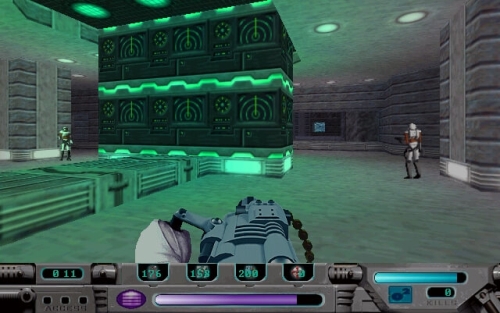
Press Ctrl-Alt-PgDown to toggle fullscreen. Press Ctrl-End or middle mouse button to release the mouse. Manual included. Tested on Windows 10.

IMPORTANT - Remember to shut down the emulated version of Windows before exiting PCem. This could potentially result in errors, lost saves and corrupt data. Close the program only when it is safe to do so.

z chomika RetroMancjA

  • 13,0 MB
  • 20 gru 19 15:08
image host
image host

z chomika RetroMancjA

  • 1,74 GB
  • 20 gru 19 15:08
image host

This is an installation package for the game Obsidian which will allow it to be played on modern versions of Windows, with easy to use desktop and/or start menu shortcuts and an uninstall option for quick removal. It uses the emulator PCem running Windows 95. The manual is also included. This uses the CD to DVD patch for Obsidian, so no disc swapping required! AWE32 emulation is enabled for enhanced audio.

Please note: Ctrl+Alt+Page Down changes from fullscreen to a window. When you're ready to quit the game, exit the game normally, then shut down the computer via the start menu. You'll then see a screen that says "It is now safe to turn off your computer." Once you see this, press Ctrl+Alt+Page Down to change to a window, then click on the "System" menu and click "Shutdown". Do not simply close the window otherwise PCEm will continue to run in the background. Do not use the System -> Shutdown function until you've used the start menu shutdown - it's like pulling the power vs turning it off normally.

A note about quitting the game - when you quit, the credits will play. These can be skipped, like all video sequences in the game (including the company intros), by pressing the space bar.

https://archive.org/details/Obsidian-ZombsLair

https://www.youtube.com/playlist?list=PL9673B23B881C7D4C

z chomika RetroMancjA

  • 0,87 GB
  • 20 gru 19 15:08
obrazek

https://archive.org/details/DrownedGod-ZombsLair

z chomika RetroMancjA

  • 340,5 MB
  • 20 gru 19 15:08
obrazek

Please note: press Ctrl+F9 to quit Dark Seed II - quitting the game normally will just exit back to the 3.1 desktop.

Also note: It's been brought to my attention that installing within C:\program files\ which is the default used by the installer, can cause write-permission issues for 3.1 + Daum games (when attempting to save) so I would recommend changing to a different path. You can run the shortcut as administrator and it'll work just fine, or you can just install it elsewhere. I'll just be using C:\Games\ as the default going forward and may end up remaking packages for the existing 3.1 games with a changed default location.

https://archive.org/details/DarkSeedCollection-ZombsLair

z chomika RetroMancjA

  • 8,2 MB
  • 20 gru 19 15:08
image host

bez muzyki CD (jest MIDI) oraz kaszanią się filmiki na 64-bitowych systemach... ale tak poza tym, działa nawet na Win10!

z chomika RetroMancjA

  • 604,4 MB
  • 20 gru 19 15:08
image host

https://www.youtube.com/watch?v=hMCoNXlWRks

z chomika RetroMancjA

  • 353,2 MB
  • 20 gru 19 15:08
image host

Please note: press Ctrl+F9 to exit the game - quitting normally will just exit back to the 3.1 desktop. Keyboard shortcuts in-game for save and load are Ctrl+S and Ctrl+L respectively.

Also note: It's been brought to my attention that installing within C:\program files\ which is the default used by the installer, can cause write-permission issues for 3.1 + Daum games (when attempting to save) so I would recommend changing to a different path. You can run the shortcut as administrator and it'll work just fine, or you can just install it elsewhere. I'll just be using C:\Games\ as the default going forward and may end up remaking packages for the existing 3.1 games with a changed default location.

https://archive.org/details/LogicalJourneyOfTheZoombinis-ZombsLair

z chomika RetroMancjA

  • 5.0
  • 363,3 MB
  • 20 gru 19 15:08
image host

It's been patched to run in 1920x1080 resolution. If you wish to change to a different resolution, edit the "config.cfg" file in the "fakk" subdirectory and change the "seta r_customwidth" and "seta r_customheight" values.

https://archive.org/details/HeavyMetalFAKK2-ZombsLair

z chomika RetroMancjA

  • 255,1 MB
  • 20 gru 19 15:08
image host

Please note: press Ctrl+F9 to quit the game - Esc will just exit back to the 3.1 desktop. Click near the top of the screen to access the file menu for saving/loading games. You'll need to then click the Drives drop down and select the C: drive (it defaults to D:, which is the virtual disc drive), before saving. The C: drive it shows isn't your actual C: drive, it's [wherever you installed the game]\Spaceship Warlock\HDD. Also keep in mind that the save names can't be over 8 characters.


https://archive.org/details/SpaceshipWarlock-ZombsLair

z chomika RetroMancjA

  • 760,7 MB
  • 20 gru 19 15:08
image host

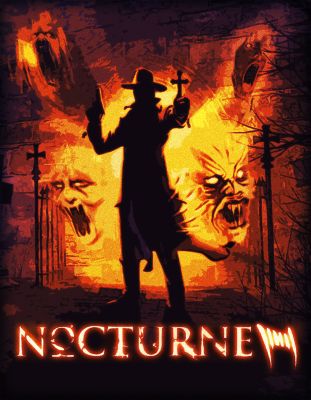
Please note: You may see an error message about insufficient memory when you start the game - this message (and the one that follows it) can be bypassed by simply pressing space. The game will still work fine. You can also set the compatibility settings for the game to Windows 98 and it should eliminate these messages (and resolve the missing intro video issue if you encounter it).The DDraw wrapper DDraw Compat 0.2.1 is being used to eliminate some issues with modern video hardware and the game is setup to use double the standard resolution (1280 x 960 - the standard resolution is 640 x 480). The resolution can be edited via nocturne.ini in the SYSTEM subfolder: lines "gamePIXX=" and "gamePIXY=" determine the horizontal and vertical resolution, respectively. 1280 x 1024 is the maximum, but the image is slightly cropped at this resolution as opposed to 1280 x 960. It's also worth noting that the controls can be remapped to modern Xinput devices like 360 or XB1 controllers.


https://archive.org/details/Nocturne-ZombsLair

z chomika RetroMancjA

  • 1,41 GB
  • 20 gru 19 15:08
imgbox

Very important! Due to file size constraints for the installer, the disc images have to be manually extracted into the install folder. Place the contents of Rama Discs.zip in the "Disc Images" folder and you'll be all set. Sorry for the inconvenience!

Please note: This game is spread across 3 disc images - when prompted to change discs, press Ctrl+F4 to change from disc 1 to 2, 2 to 3, and 3 to 1.

https://archive.org/details/Rama-ZombsLair

https://www.youtube.com/watch?v=Pu4n5YXPaMQ

z chomika RetroMancjA

  • 0,84 GB
  • 20 gru 19 15:08
image host

This is an installation package for the game The Wheel of Time which will allow it to be played on modern versions of Windows. The manual is also included. The game has been patched to run in 1920x1080 resolution. If you wish to change to a different resolution, edit the WoT.ini in the "system" subdirectory, and change the "FullscreenViewportX=" and "FullscreenViewportY=" values - it's already been patched to have the correct FOV for 16:9 resolutions - use the files in the "system\alternate fovs" folders if you're using 16:10 or 21:9. The cutscenes are included and working thanks to the DDraw Quicktime 4 patch by Mirh.

https://archive.org/details/TheWheelOfTime-ZombsLair

z chomika RetroMancjA

  • 289,5 MB
  • 20 gru 19 15:08
image host
Important! Please note: Stratosphere is a buggy game. It was buggy in 1998 and it's still buggy now. I've done as much as I can to mitigate this, but you will run into problems occasionally. These include, but may not be limited to:

-Music randomly deciding to stop working on some missions
-Camera controls sometimes deciding to not work (pressing Esc twice fixes this)
-The mouse cursor is stuttery/leaves trails between missions (this is because of the ddraw wrapper used, but without it the cursor often disappears between missions which is much worse)

As an added failsafe in case anything hangs, I added an instant quit key function via AutoHotkey - just press the End key on the keyboard and the game will instantly exit.

https://archive.org/details/Stratosphere-ZombsLair

z chomika RetroMancjA

  • 194,7 MB
  • 20 gru 19 15:08
image host

z chomika RetroMancjA

  • 529,2 MB
  • 20 gru 19 15:08
image host

z chomika RetroMancjA

  • 327,1 MB
  • 20 gru 19 15:08
image host

z chomika RetroMancjA

  • 97,2 MB
  • 20 gru 19 15:08
image host

Doskonała, poprawiona wersja jednej z najlepszych arcade'owych ścigałek. Działa na nowych Windowsach bezproblemowo. Nie ma co się zastanawiać, tylko ściągać i grać.

z chomika RetroMancjA

  • 528,1 MB
  • 20 gru 19 15:08
image host

Klon Abuse autorstwa ludzi odpowiedzialnych za Fruity Loops. Skakanie, strzelanie, szukanie kluczy etc. Bez szczególnego polotu, w dodatku w niskiej rozdzielczości, ale pograć można. Niestety, działa tylko na XP 32bit i starszych.

z chomika RetroMancjA

  • 625,6 MB
  • 20 gru 19 15:08
image host

z chomika RetroMancjA

  • 240,5 MB
  • 20 gru 19 15:08
image host

z chomika RetroMancjA

« poprzednia stronanastępna strona »
Dodaj plikDodaj plik
  • Pobierz folder
  • Aby móc przechomikować folder musisz być zalogowanyZachomikuj folder
  • dokumenty
    0
  • obrazy
    0
  • pliki wideo
    0
  • pliki muzyczne
    0

54 plików
27,42 GB


goniamich

goniamich napisano 1.10.2020 11:57

zgłoś do usunięcia
✫ JEŚLI SZUKASZ NAJNOWSZYCH FILMÓW ZAPRASZAM DO MOICH FOLDERÓW NIE MAJĘ ŻADNYCH HASEŁ POZDRAWIAM JAREK ✫ ✫ NA STRONIE GŁÓWNEJ NIE MA WIELU NOWOŚCI - ZACHĘCAM DO ZAGLĄDANIA DO FOLDERÓW ✫
obrazek
Tiili

Tiili napisano 4.10.2020 20:12

zgłoś do usunięcia
Witam, pozdrawiam i zapraszam do mnie Filmy, ciekawe Filmy Dokumentalne, Seriale, TV Show, Książki, Artykuły, Teledyski, Tapety, Emotki i wiele innych. obrazek
karopana

karopana napisano 11.11.2020 16:23

zgłoś do usunięcia

damian9655 napisano 9.11.2021 14:56

zgłoś do usunięcia

Niceboy

Niceboy napisano 23.01.2022 18:03

zgłoś do usunięcia

Zapraszam do siebie! Znajdziesz u mnie wiele ciekawych filmów oraz seriali w jakości HD.

Hasło do chomika: 🔐123456

Wpadło Ci coś w oko z moich zbiorów? NIC PROSTSZEGO!

Wystarczy napisać do mnie prywatną wiadomość! 📝

📢100% WŁASNY I SPRAWDZONY UPLOAD! 📢

obrazek
Fire-Wind

Fire-Wind napisano 15.05.2022 07:44

zgłoś do usunięcia

Witam Messien!!!


Zapraszam do siebie, na pewno znajdziesz coś ciekawego dla siebie!

Filmy dla dorosłych
obrazek
dsgfsdg10

dsgfsdg10 napisano 21.01.2023 18:01

zgłoś do usunięcia
Super chomik
kapalo3500

kapalo3500 napisano 22.05.2023 11:51

zgłoś do usunięcia
Zapraszam
bambina-1234

bambina-1234 napisano 12.05.2024 05:35

zgłoś do usunięcia
obrazek

Tu Filmy Muzyka Tu Programy Obrazki Zapraszam Do Mnie

DZIACHO1966

DZIACHO1966 napisano 21.11.2024 06:41

zgłoś do usunięcia
Zapraszam Do Mnie

Musisz się zalogować by móc dodawać nowe wiadomości do tego Chomika.

Zaprzyjaźnione i polecane chomiki (3)Zaprzyjaźnione i polecane chomiki (3)
Zgłoś jeśli naruszono regulamin
W ramach Chomikuj.pl stosujemy pliki cookies by umożliwić Ci wygodne korzystanie z serwisu. Jeśli nie zmienisz ustawień dotyczących cookies w Twojej przeglądarce, będą one umieszczane na Twoim komputerze. W każdej chwili możesz zmienić swoje ustawienia. Dowiedz się więcej w naszej Polityce Prywatności